AI in Practice

Week 42Catch-up issue: the last two weeks and the biggest launches since August

Agents move in, Markdown goes mainstream

Agents are moving into everyday work. Gemini 4 Argon is now available to more users, ChatGPT's Dots keep working on their own computer, and Claude turns your files into dashboards and animated explainers. Meanwhile, Google Docs now opens Markdown directly. This catch-up issue focuses on what you can see, who has access and one useful test for your own AI business brain.

Download .md One Markdown file with instructions at the top. Put it in your own business brain and it will tell you what to test and what to adapt.

01 / 09

Gemini 4 Argon: now available for real work

GoogleOfficial

Google announced Gemini 4 Argon on 30 September and expanded access on 13 October. The focus is work that needs several steps: code changes, document analysis and business workflows. Google’s app update also adds a chat-to-tasks toggle and an Antigravity coding interface in its macOS app.

Where is it better? Google’s launch table reports 51.3% on AutomationBench against Astra’s 41.4%, and 77.9% on DeepSWE against 74.1%. It also shows where Argon loses: Astra leads FrontierSWE, and Opus 5.5 leads Terminal-bench. Read the full table and its evaluation settings below before choosing a model.

Access matters: Google AI Pro and Ultra get Argon in the Gemini app; Antigravity access is listed for Ultra. Developers have the paid Gemini API route. I have not tested Argon on our business files. The demo below shows Google turning project context into a proposal deck.

Watch from 00:30 ↗
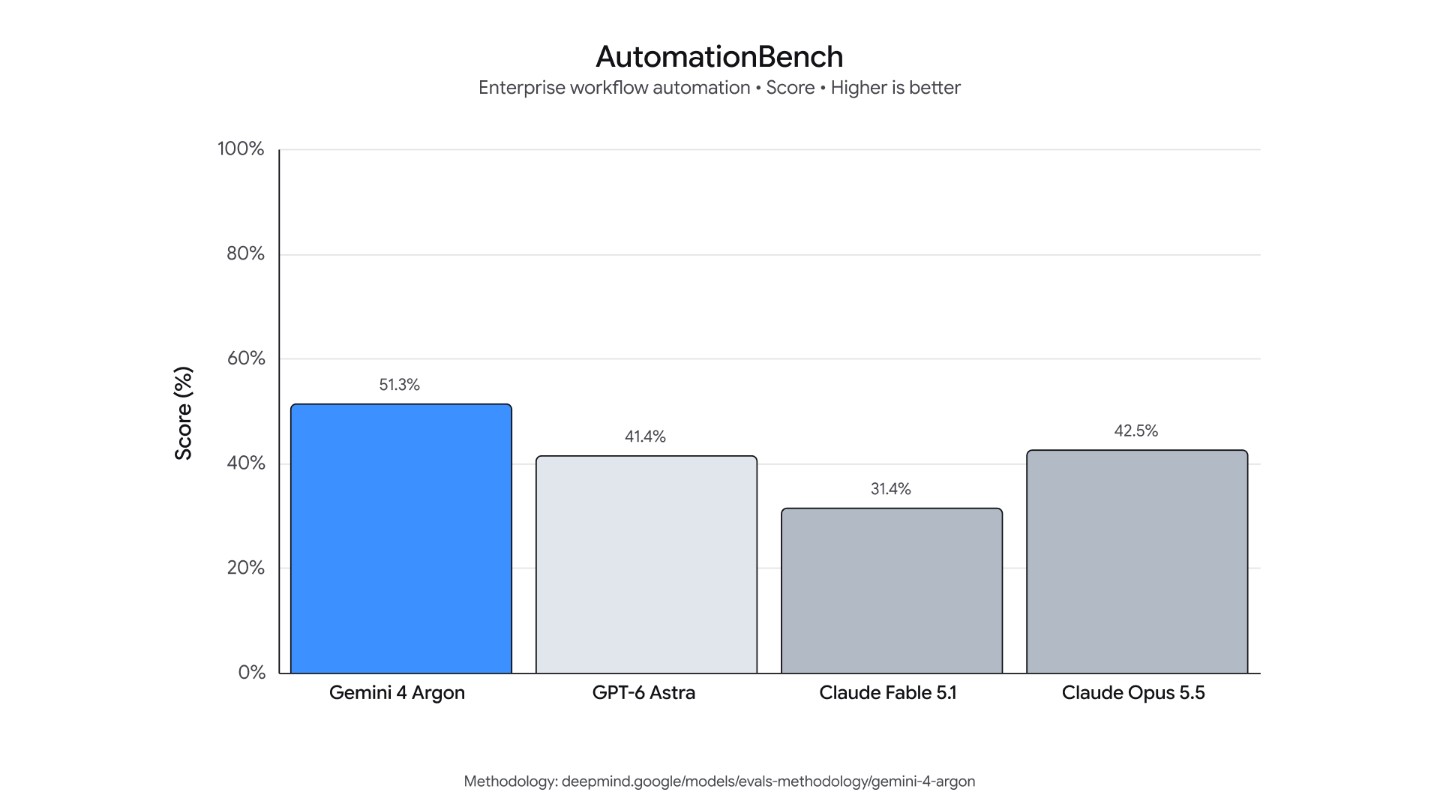
Google AutomationBench comparison chart for Gemini 4 Argon and other frontier models
Google · launch research, 30 Sep ↗Google’s own AutomationBench chart. Broader availability followed on 13 October. Benchmark settings and real workflow results can differ.
Practical usageFor business brain builders · 1 prompt to copy · 2 reference examples · comparison table · 4 steps · not tested yet

How this affects business brain builders

Test whether a new model follows the existing rules and sources in your business brain more reliably. A leaderboard result is a reason to test, not a reason to replace your working setup.

Examples, demos and evidence

Each example names its source and whose work it shows. Open the source for the full context.
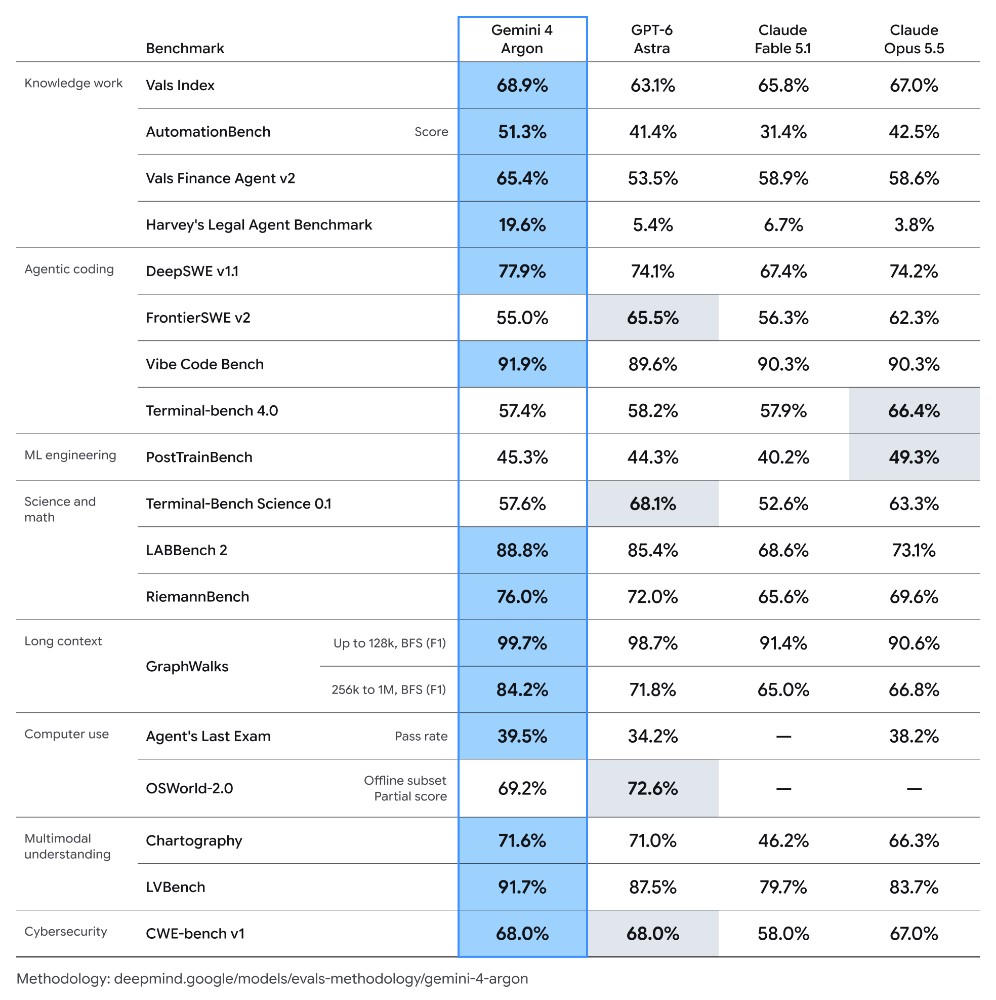
Google research table comparing Gemini 4 Argon, GPT-6 Astra, Claude Fable 5.1 and Claude Opus 5.5
The full model comparison, including losses

Captured from Google's 30 September release. It covers knowledge work, coding, long context, computer use and multimodal tasks. Argon does not win every row. Evaluation methodology and model card.

Google · original research table ↗
From a project folder to a proposal deck

Google's launch demo uses a custom skill to turn project context into a client proposal deck. It also demonstrates further automation. For a first test, stop at the draft and check every source before sharing it.

Google · project-context demo ↗
Open Gemini ↗

Checked 16 Oct 2026: Google lists global rollout to AI Pro/Ultra in the Gemini app and AI Mode; Ultra in Antigravity; paid Gemini API for developers. Product, account and local availability still need checking. See app availability and developer access.

Not tested yet
One controlled comparison on a real brief (Gemini and your current assistant)
Use only the attached project brief, source notes and writing rules. Prepare a one-page client proposal with the problem, proposed work, deliverables, unresolved questions and next decision. Cite a file and heading for each factual claim. Mark missing facts as unknown. Do not invent prices or results, send messages, or modify the source files. Finish with a checklist of facts a person must verify.
  1. Check that your account actually offers Gemini 4 Argon. An AI Pro app subscription and Antigravity access are different routes.
  2. Choose one project brief and writing-rules file. Run the same prompt in Argon and your current assistant.
  3. Score correct facts, missing facts, source citations and rule violations before judging writing style. Record the model, date, settings and time.
  4. Keep whichever output needs less correction for that job. Repeat on more than one task before changing your regular workflow.
Google launch evaluationArgonAstraOpus 5.5What this tests
AutomationBench51.3%41.4%42.5%End-to-end business workflows
DeepSWE v1.177.9%74.1%74.2%Long software-engineering tasks
FrontierSWE v255.0%65.5%62.3%A different coding benchmark
Terminal-bench 4.057.4%58.2%66.4%Terminal work

Is it the best model for every task?

No. Google’s own table shows losses. Vals AI’s independent leaderboard, updated 13 October, puts Argon first overall at 68.90%, but explains that different models lead individual components. Its benchmark cost assumptions can differ from Google’s introductory API price.

Was it released today?

The announcement was 30 September; broad developer and consumer availability was announced 13 October. This 16 October issue covers the access change, not a new launch today.

What does the API cost?

Google’s 13 October release lists introductory prices of $2 per million input tokens and $10 per million output tokens, ending 30 November 2026. After that it lists $4/$20. This is API usage, separate from an app subscription.

What others are saying3 voices from Vals AI, Google Developers and Google

Documents an overnight optimization of its ADK Python codebase, including the rules supplied, changes reviewed and measured performance. This is an engineering case, not a general productivity guarantee.

Google ADK engineering team · 13 Oct 2026 ↗

The Gemini app team documents Pro/Ultra access, the tasks toggle and Antigravity in the macOS app. These are rollout details, not proof of availability on my account.

Google Gemini app team · 13 Oct 2026 ↗
02 / 09

Claude Dashboards and Claude Motion

AnthropicOfficial

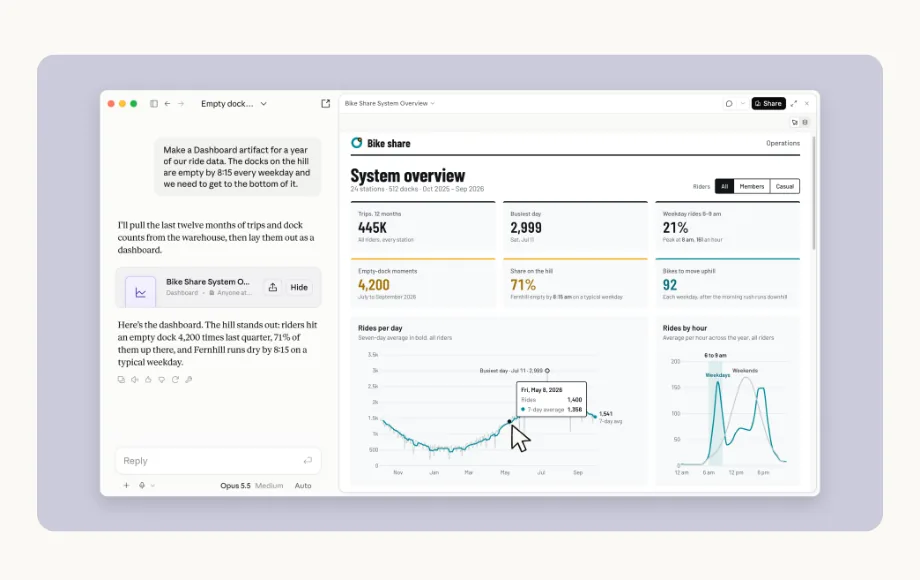
Claude Dashboards turns a plain-English question about your data into a dashboard that keeps itself up to date. It connects to Redshift, BigQuery, ClickHouse, Databricks, Snowflake and CRMs such as Salesforce. Click any number to see the query behind it, and every chart shows when its data was last refreshed.

Claude Motion builds short animated explainers from a prompt, using your text, charts, shapes and images. Claude writes each one as code, so you can change any word, number or timing and then export an MP4. Anthropic says no video model is involved: no generated footage, no AI-generated people.

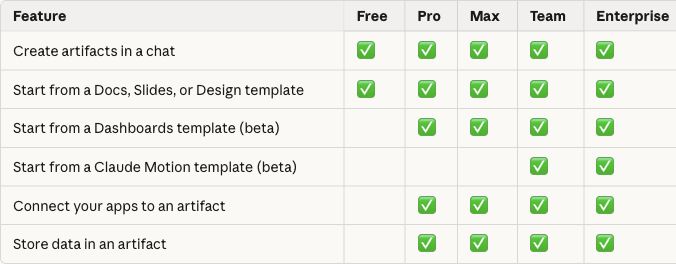
Both are in beta: Dashboards on paid plans, Motion on Team and Enterprise only (as of 8 Oct 2026). The same day, Claude Docs, Slides and Design left beta for every plan, including Free.

Watch from 02:35 ↗
Anthropic's demo: a bike-share dashboard with figures and charts next to the Claude chat that built it
claude.com/resources/articles/dashboards-and-motion ↗Anthropic's own demo: a bike-share dashboard built from one request in the chat.
Practical usageFor business brain builders · 2 prompts to copy · 5 reference examples · comparison table · 4 steps · can't test yet

How this affects business brain builders

A dashboard can show where your business brain has clear data. A short explainer shows whether its rules and focus make sense to someone else.

Examples, demos and evidence

Each example names its source and whose work it shows. Open the source for the full context.

Watch a finished Motion animation

Compareai.today says it made this 25-second clip in Claude Motion on a Team plan, with a supplied price list, then exported it at 1080p/60 fps without audio. This is its output, not mine. The point here is the editable animated chart, not a claim that the price list stays current.

Compareai.today · creation notes, 10 Oct ↗
A creator changes individual scenes

Igor Pogany's 14 October walkthrough shows the feature and how to edit an animation. Watch the original to see the output and revision controls. This uses Claude Motion itself; videos made with a separate Claude Code animation toolkit are a different workflow.

The AI Advantage · original walkthrough ↗
Official Claude plan table showing Dashboards on Pro, Max, Team and Enterprise, and Motion only on Team and Enterprise
Which plans include each feature?

Anthropic's own availability table. Motion is absent from Pro and Max; Dashboards is listed on both. This is plan documentation, not proof of my account access.

Claude Help Center · checked 14 Oct ↗
Anthropic's demo: a bike-share dashboard with figures and charts next to the Claude chat that built it
What a dashboard looks like

Anthropic's bike-share demo: a prompt, ride totals and charts. For a business brain, a similar view could show issue status or data quality. I have not built this demo.

Anthropic's launch example ↗
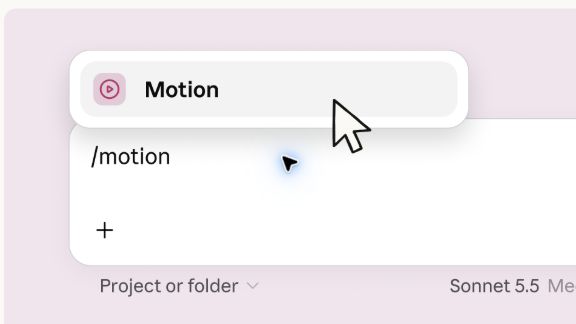
Official Anthropic screenshot showing the /motion command and Motion menu option in the Claude message box
Where Motion appears in Claude

Anthropic's product screenshot shows the /motion command opening the Motion option in chat. That option requires an eligible plan. This is a reference image, not my screen.

Anthropic · Motion entry point ↗
Watch Anthropic's demo ↗

Checked 14 Oct 2026: Dashboards beta on Pro, Max, Team and Enterprise. Motion beta on Team and Enterprise only. Enterprise owners may need to enable the templates.

Can't test yet
Motion: explain a real business-brain project (Team or Enterprise)
Read the attached technical brief from my business brain. Make a 45-second Motion explainer called “How this project works”. Show its purpose, the five layers, the recurring work, the source of truth and the next decision. Use only facts in the brief, cite the source heading for each scene, and label missing facts “not found”. Do not invent a product test or a business result.
Dashboard: project status from a technical Markdown brief (Pro, Max, Team or Enterprise beta)
Read the attached technical Markdown brief and build a project-status dashboard. Show accepted results, dated content counts, checks and remaining work. Cite a source heading for every fact. Treat the uploaded file as a dated snapshot. Do not invent traffic, revenue, participants or completed tests. If a dashboard template is unavailable, give me the same information as a table in the chat.
  1. Check the plan table first. In Claude, use Artifacts or the Output menu. Cloud code execution and file creation must be enabled in Capabilities.
  2. For Dashboards, attach a technical brief from your real project and use the prompt below. Treat an uploaded file as a dated snapshot, not a live data connection.
  3. On an eligible Team or Enterprise account, type /motion or choose the Motion template, attach the same brief and try the explainer prompt.
  4. Check every number and source heading before sharing. For live business data, connect an appropriate data platform or CRM; an uploaded file does not refresh by itself.
FeatureDocumented accessMy test status
DashboardsPro, Max, Team, Enterprise betaNot tested; account availability not checked
MotionTeam, Enterprise betaNo access on my Max plan

Three useful examples for a business brain

For a weekly publication, show which issue is published and which checks remain. For a training session, turn its real brief into a short walkthrough. For business reporting, connect a verified data source and show where each number came from. These are ideas to try, not tests I have completed.

Does a missing Motion button mean I need to change my settings?

On Max, Motion is outside the documented plan access. Settings cannot grant a feature that the plan does not include. On Enterprise, an owner also controls which artifact templates are enabled.

What others are saying4 voices from Compareai.today, note.com and X
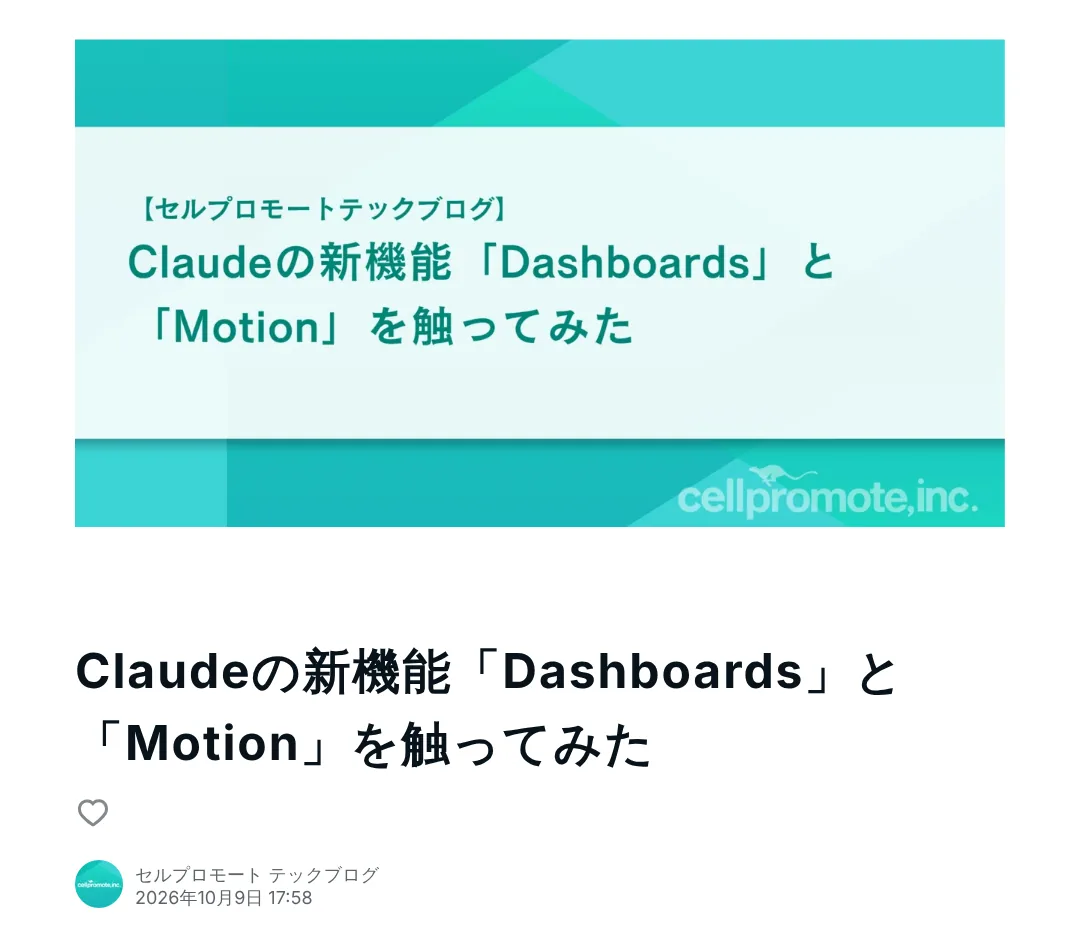
Cell Promote tech blog post on note.com: trying Claude's new Dashboards and Motion features

Tried both the day after launch. Liked that every number traces back to its SQL. Flagged that live refresh needs a data platform or CRM, while CSV and Excel only give a snapshot, and that Motion clips stop at five minutes.

Furukawa, Cell Promote tech blog · 9 Oct 2026 ↗
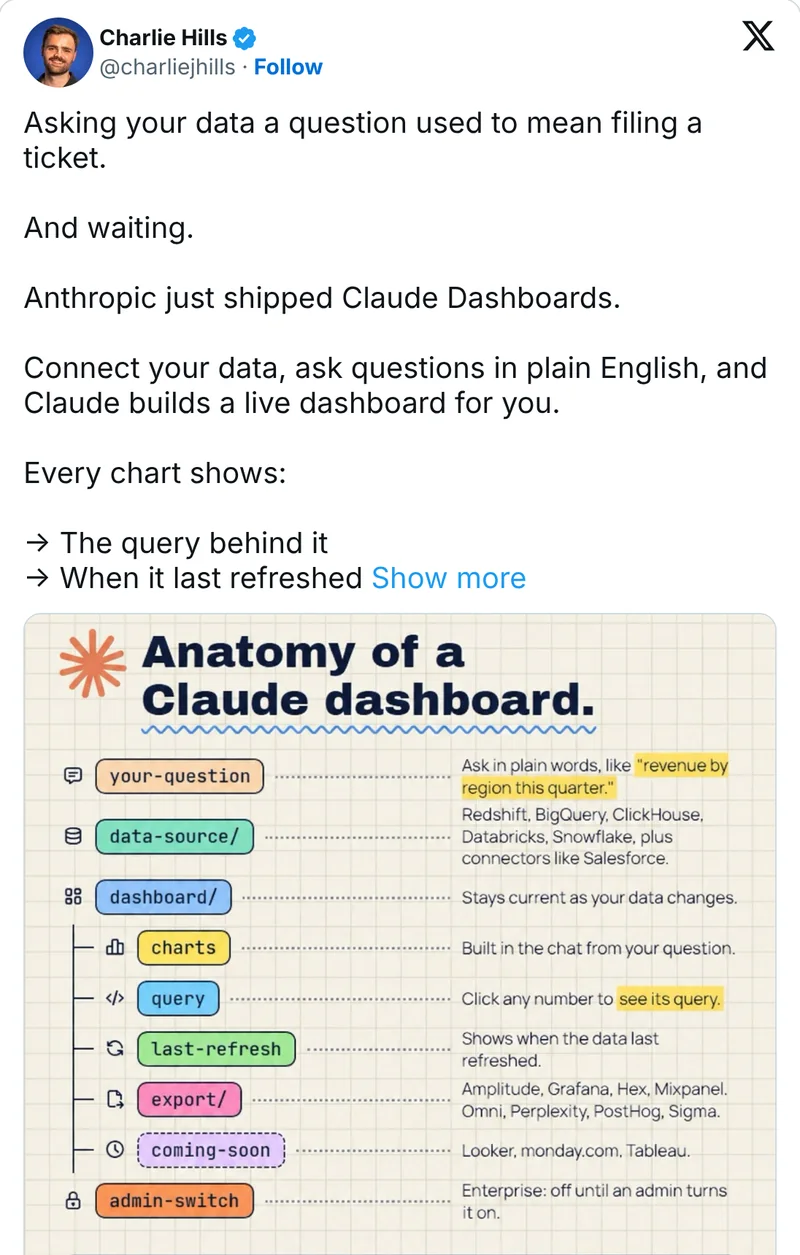
Charlie Hills' post on X with an illustrated anatomy of a Claude dashboard

Turned the launch into a one-page “Anatomy of a Claude dashboard”: your question, data source, charts, query, last refresh, export and the admin switch.

Charlie Hills on X · 9 Oct 2026 ↗
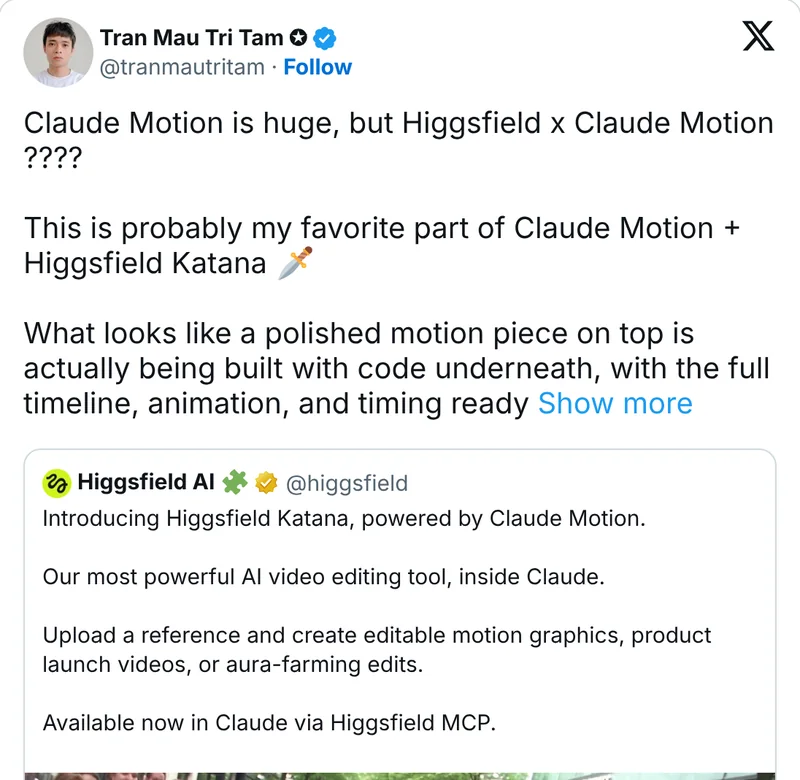
Tran Mau Tri Tam's post on X quoting Higgsfield's announcement of Katana, powered by Claude Motion

Points to Higgsfield Katana, a video editor built on Claude Motion: “What looks like a polished motion piece on top is actually being built with code underneath.”

Tran Mau Tri Tam on X · 9 Oct 2026 ↗

03 / 09

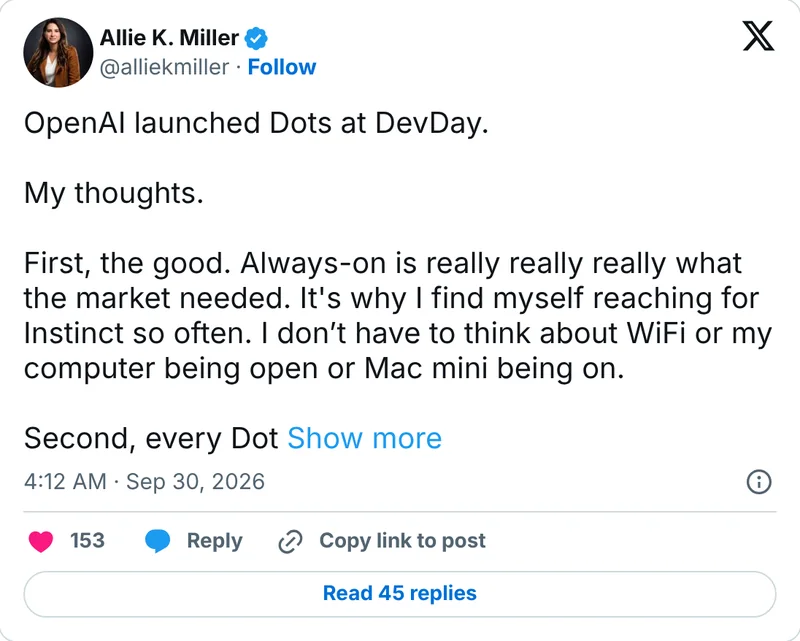
ChatGPT Dots: always-on agents

OpenAIOfficialCatch-up

Dots are OpenAI's always-on agents, launched at DevDay on 29 September. A Dot runs on GPT-6 Astra with its own cloud computer, connects to “over 4,000 apps” through plugins and keeps working between your conversations. When you are not using it, OpenAI says, it “looks for ways to help in the background” with read-only tools. You reach it in ChatGPT, Slack, Teams or by voice.

Control works through rules: built-in ones for when to act and when to ask, plus Custom Rules that “let you allow specific actions, require approval, or block them.” OpenAI's own warning: “Dots can still make mistakes, so always review consequential work.”

The catch for Europe: Pro access excludes the EEA, Switzerland and the UK at launch. Business Premium seats get it in supported markets, and Enterprise admins can switch on a beta. The first Dot is included in the plan at no extra cost (as of 29 Sep 2026).

Watch from 06:14 ↗
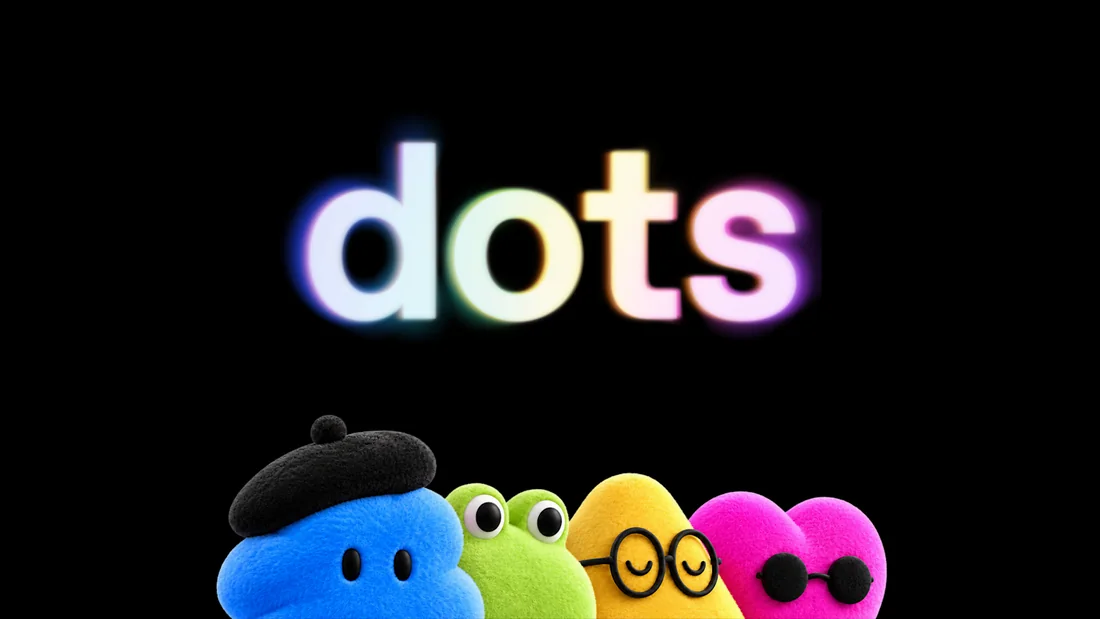
OpenAI's launch artwork for Dots: the word dots above four plush characters
openai.com/index/introducing-dots ↗OpenAI's launch artwork for Dots.
Practical usageFor business brain builders · 1 prompt to copy · 4 reference examples · 4 steps · can't test yet

How this affects business brain builders

A Dot is an AI employee with standing rules. Its Custom Rules (allow, ask first, block) are the rules layer of your business brain, so write those before you hire one.

Examples, demos and evidence

Each example names its source and whose work it shows. Open the source for the full context.

Watch someone set up and use a Dot

Futurepedia's 29 September hands-on video shows setup, the cloud computer and delegated work. A concrete example asks the Dot to prepare several video intros, choose one and hand motion graphics to Codex. The footage is the creator's account; my Pro account in Latvia has no Dot access.

Futurepedia · original 11-minute demo ↗
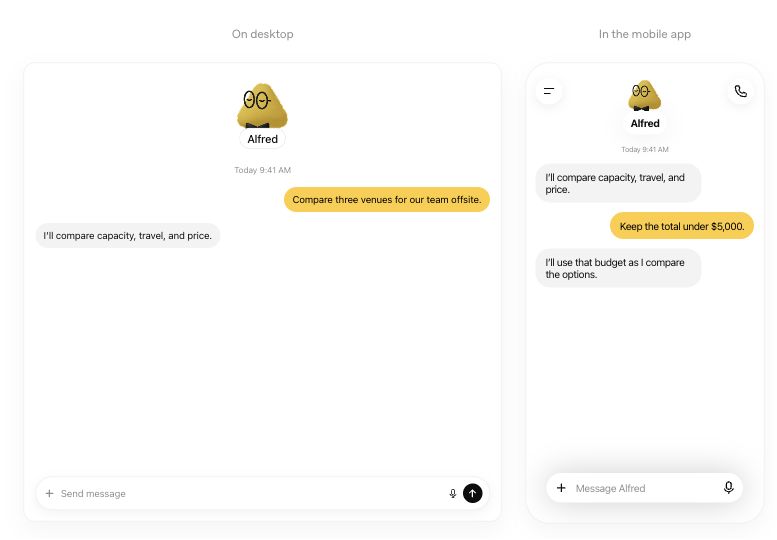
Official Dots illustration with desktop and mobile conversations about comparing offsite venues
The same Dot on desktop and phone

OpenAI documentation illustration: a desktop conversation continues on the phone with a new budget constraint. This is a vendor example, not my account.

ChatGPT Learn: message or call your dot ↗
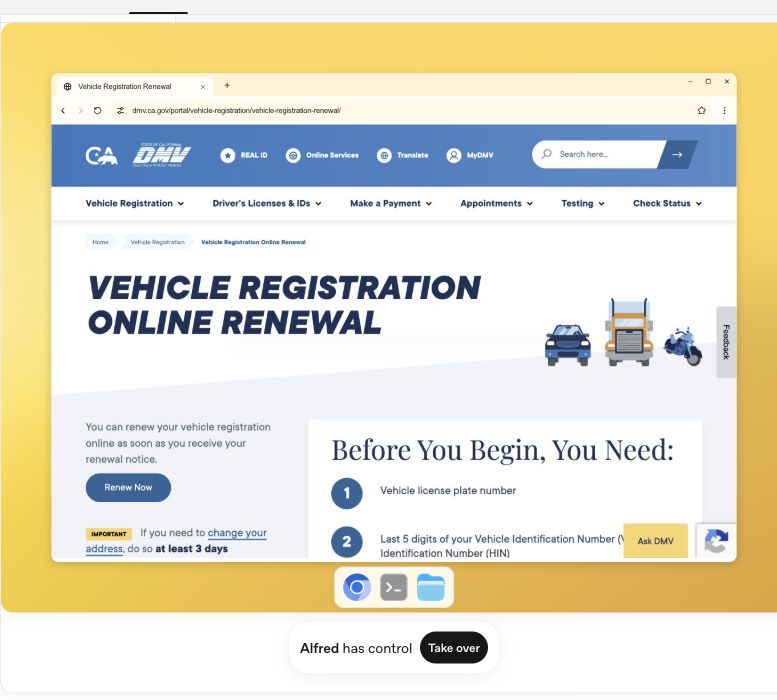
OpenAI Dots cloud computer illustration showing the DMV page and Take over button
Its cloud computer, with a handover button

OpenAI documentation demo: the Dot has its own browser. Take over lets the person handle a step; Return control gives it back. Shown here with a public DMV page.

ChatGPT Learn: its computer and yours ↗
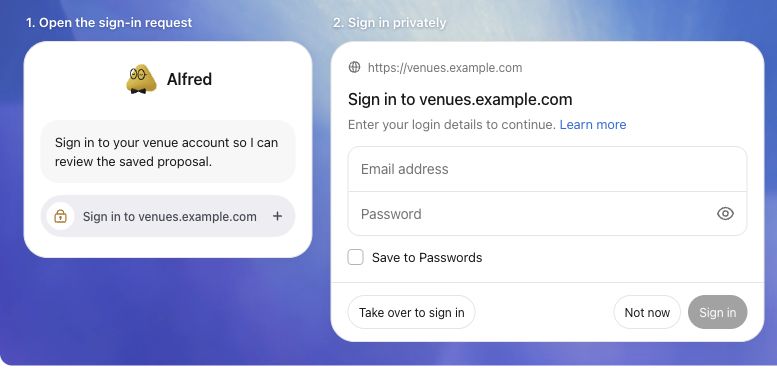
Official Dots illustration of a sign-in request and private login dialog with Take over to sign in
A private sign-in request

OpenAI documentation illustration: a website sign-in request leads to a private form or browser takeover. The example uses venues.example.com; no real credentials are shown.

ChatGPT Learn: signing in to websites ↗
Set up a Dot ↗

As of 16 Oct 2026, Pro 100/200/500 is for adults outside the EEA, UK and Switzerland; Business Premium is rolling out worldwide; Enterprise needs admin enablement. Setup is now supported in the mobile app, desktop app and desktop web. Mobile web is not supported. Source: ChatGPT Learn.

Can't test yet
Draft the rules for an always-on agent (any assistant)
Read the rules files in my business brain. Draft three lists for an always-on AI agent: 1) actions it may take without asking (read-only research, drafts), 2) actions that need my approval (sending email, booking, posting, anything with money or customer data), 3) actions it must never take. Use only what my files say, and list the gaps where my files say nothing.
  1. Check access first. On a Pro plan in Latvia or anywhere in the EEA there is no Dot yet; a Business Premium seat is the current route.
  2. Write the three lists (allow, ask first, never) in your business brain before you connect anything. The prompt above drafts them from your files.
  3. Connect only the apps the first job needs, and start with read-only work such as a weekly research brief.
  4. After a week, read the Activity View in the desktop app: what did it do on its own, and was it right?
What others are saying4 voices from X, Every and Hacker News
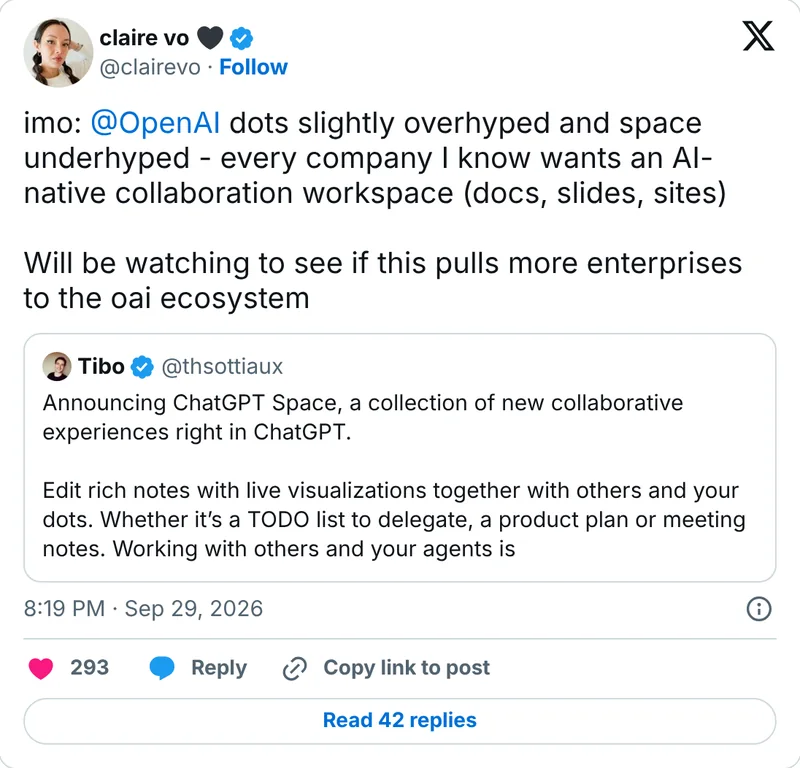
Claire Vo on X: dots slightly overhyped and space underhyped

“imo: @OpenAI dots slightly overhyped and space underhyped - every company I know wants an AI-native collaboration workspace (docs, slides, sites)”

Claire Vo on X · 29 Sep 2026 ↗
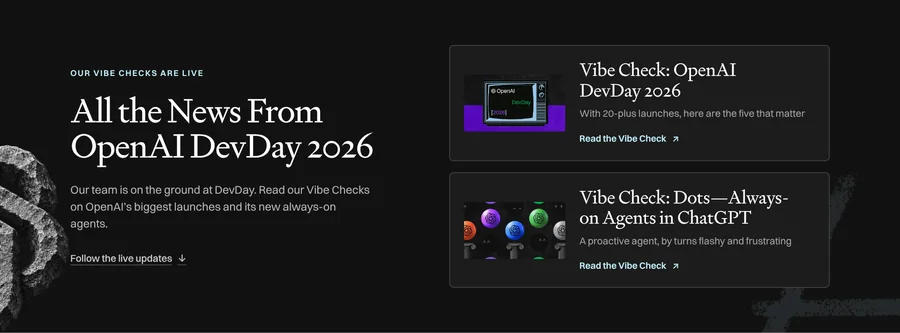
Every's DevDay page with the Vibe Check: Dots, always-on agents in ChatGPT

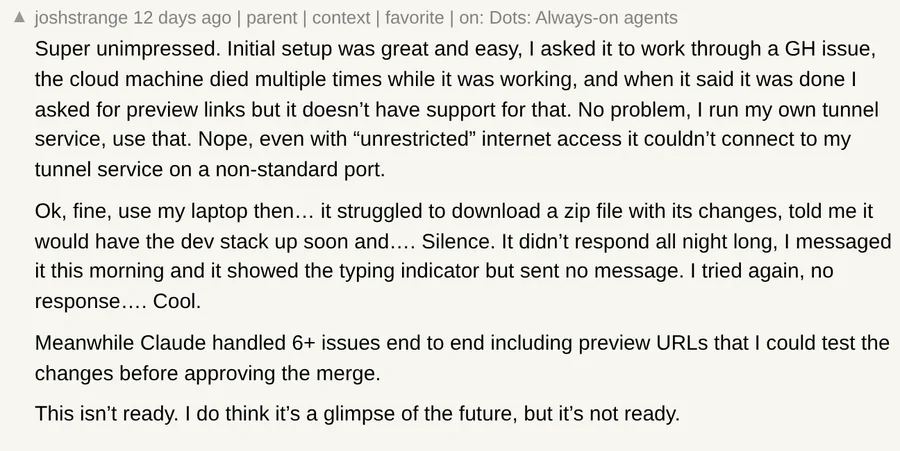
Tested it before launch: “buggy and lacked some features I would expect, like iMessage support.” His advice: “Unless you love new things with rough edges, I'd recommend waiting a week or two to try it.”

Dan Shipper, Every · 29 Sep 2026 ↗

04 / 09

Google Docs and Drive now open Markdown files

Google WorkspaceOfficial

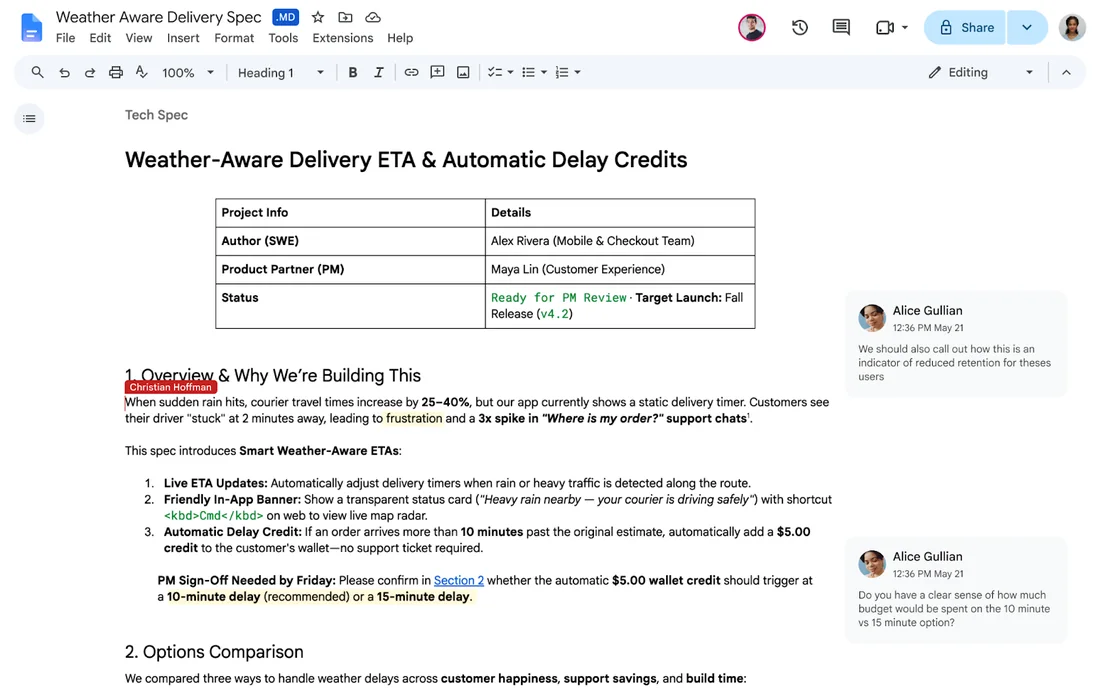
Google Docs can now view, edit and comment on Markdown files (.md and .markdown) directly, and Drive shows a rendered preview with clickable links and tables. The file stays an .md file in Drive. Before, you had to import and convert Markdown into a Google Doc, which, in Google's words, “often altered formatting, stripped comments, and fragmented files.”

The rollout started on 5 October and takes up to 15 days, for Workspace and personal Google accounts, with no setting to switch on. Google pitches it at AI work: Markdown is what models write, and now people and agents can edit the same file.

It is the reason I open Obsidian much less. What Docs does not promise: Obsidian extras such as [[wiki-links]], callouts, Mermaid diagrams, frontmatter and plugin charts are not documented, so test before you trust it with your vault.

Watch from 08:12 ↗
Google's example: a Markdown spec open in Google Docs with the .MD badge, a table and two comments
workspaceupdates.googleblog.com ↗Google's own example: a spec written in Markdown, open in Docs with the .MD badge, a table and comments.
Practical usageFor business brain builders · 1 prompt to copy · 4 steps · not tested yet

How this affects business brain builders

If your business brain syncs to Google Drive, the whole team can now read and comment on the same .md files the AI reads, with nothing to install.

Open Google Drive ↗

All Workspace and personal Google accounts, rolling out 5-20 Oct 2026. No admin control, no user setting.

Not tested yet
Test note: save as test.md in a copy of your brain, then open it in Docs
---
type: test
owner: me
---
# Docs test

A wiki link to [[another-note]] and a normal [link](https://areteaios.com).

> [!note] A callout
> Does this survive?

- [ ] an open task
- [x] a done task

| Column | Value |
|---|---|
| A | 1 |
| B | 2 |

```mermaid
graph LR; Rules-->Memory-->Skills
```

A footnote.[^1]

[^1]: The footnote text.
  1. Save the test note above as a new .md file in a copy of your Drive-synced brain, not in the real one.
  2. Open it in Docs, change one word, close it, then open the same file in Obsidian or a text editor and compare the frontmatter, the [[link]], the callout and the Mermaid block.
  3. Write the result as a rule in your business brain: which files people may edit in Docs, and which only in Obsidian or through the AI.
  4. If something breaks, File > Version history in Docs brings the old version back.

What renders, and what may break?

Documented: headings, lists, tables, links and comments. Google also says smart chips become text, and font colours, highlights and alignment are removed when you edit an .md file. Not documented at all: frontmatter, [[wiki-links]], callouts, Mermaid diagrams and charts from Obsidian plugins. I found no independent hands-on test yet.

Can AI read the same files?

Gemini Notebook imports .md files from Drive and keeps them in sync. The help pages for Claude's and ChatGPT's Google Drive connectors do not list .md files (checked 14 Oct 2026), so test it on one file before you rely on it.

What others are saying4 voices from X and TechRepublic
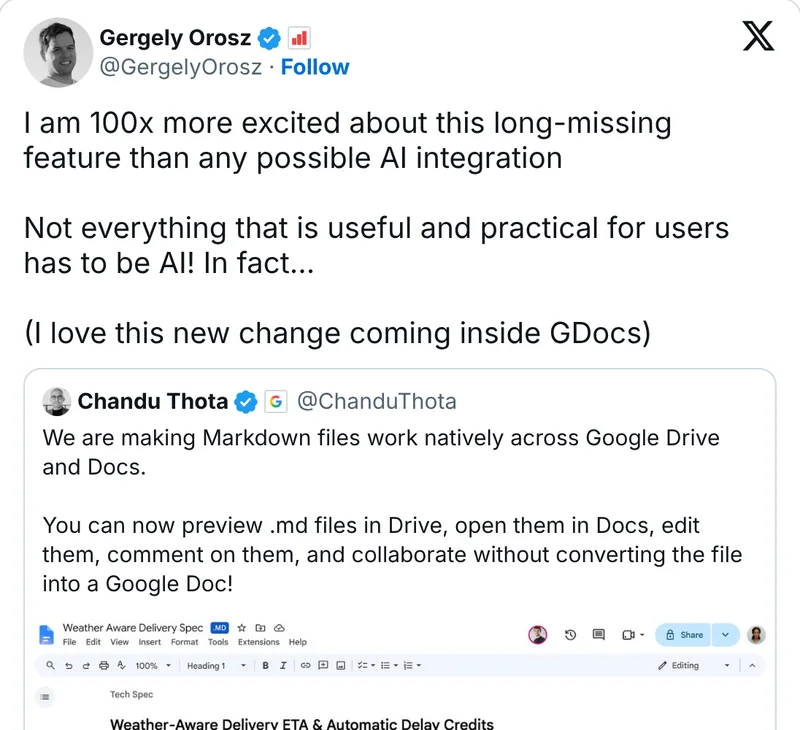
Gergely Orosz on X, quoting Google's announcement

“I am 100x more excited about this long-missing feature than any possible AI integration. Not everything that is useful and practical for users has to be AI!”

Gergely Orosz on X · 5 Oct 2026 ↗
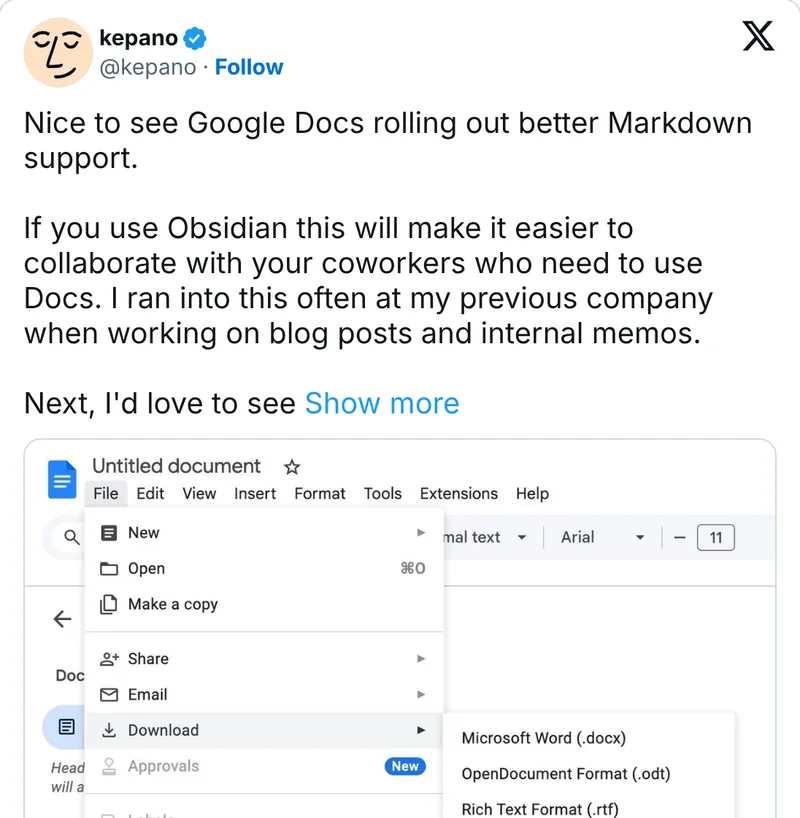
kepano on X in July 2024, with the Google Docs download as Markdown menu

Obsidian's CEO in 2024, about the earlier import and export: “If you use Obsidian this will make it easier to collaborate with your coworkers who need to use Docs.”

kepano on X · 18 Jul 2024 ↗
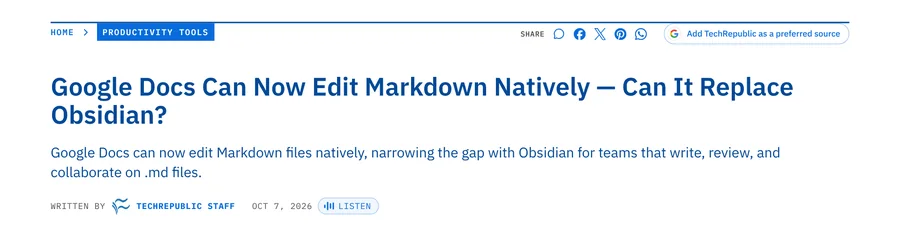
TechRepublic headline: Google Docs Can Now Edit Markdown Natively, Can It Replace Obsidian?

From the docs, without a hands-on test: Docs “now covers enough of the Markdown workflow to replace a separate editor for some teams”, but “Obsidian still earns its place when the notes themselves are the system.”

TechRepublic · 7 Oct 2026 ↗

05 / 09

Jev: a model that decides instead of writing

TypeSafe AIOfficialCatch-up

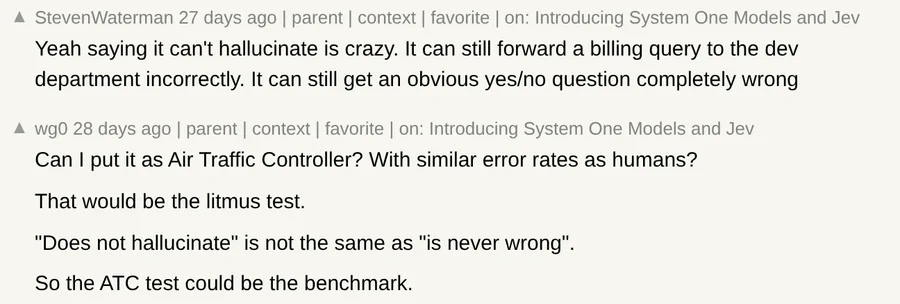
Jev is a decision model from TypeSafe AI. Give it a record and typed questions: choose an option, assign a score or return a yes/no probability. It fills a form instead of writing prose. A correct output shape does not guarantee a correct decision.

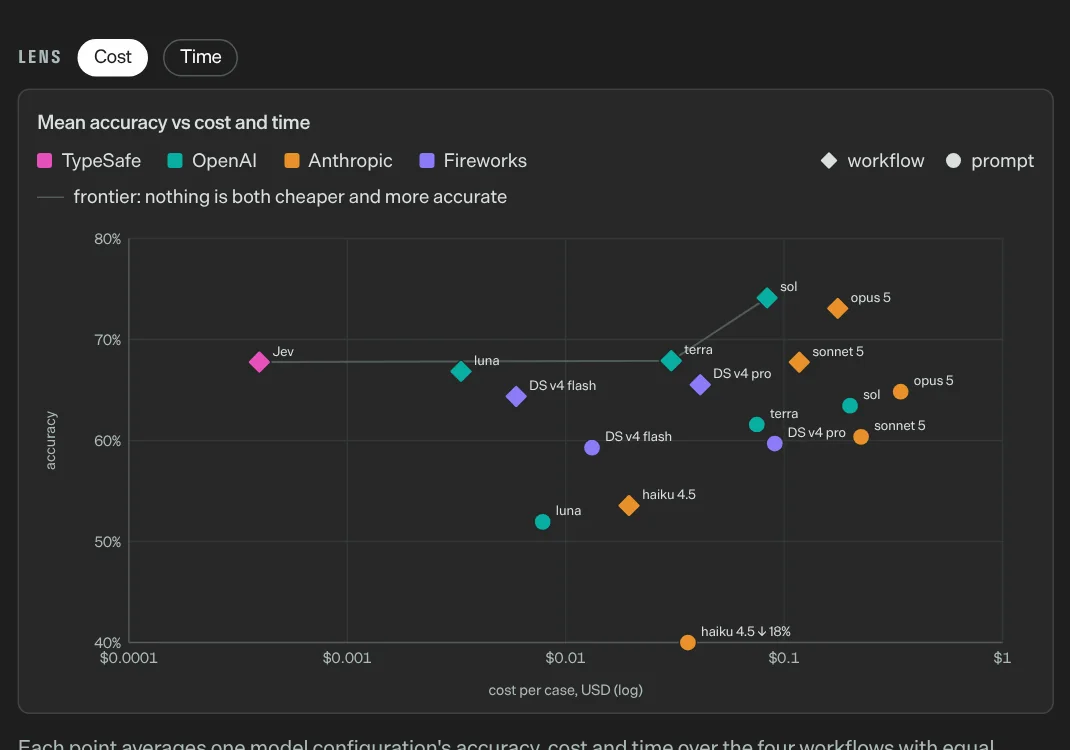
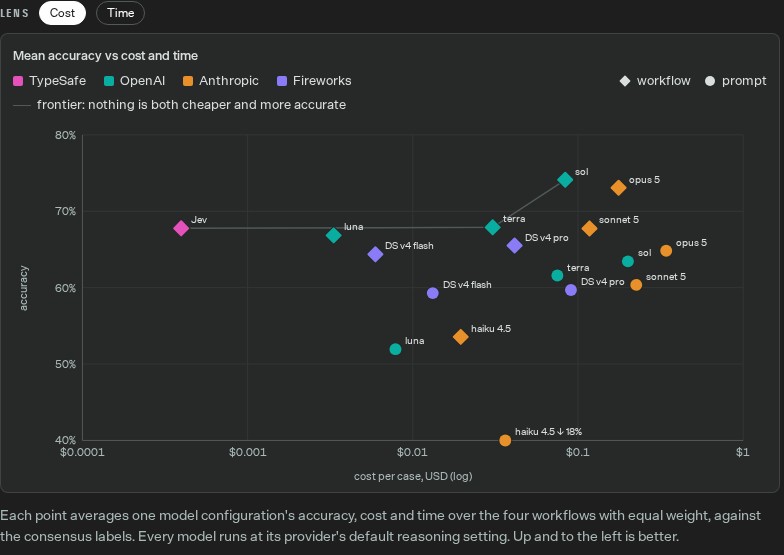
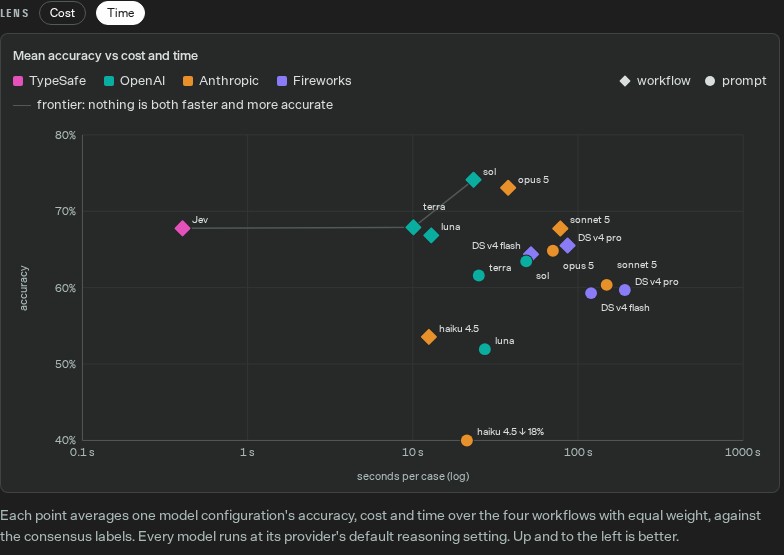
The appeal is cost and latency. TypeSafe lists $0.042 per million input tokens, output free (checked 14 Oct). Its own evaluation plots accuracy against cost and time; inspect both views below. The reference labels come from other models, so test against decisions you have checked yourself.

We tested it. On 14 October, one request sent three AIP7 stories and nine questions. All three workflow choices matched our prepared labels. Confidence fell to 0.38 on the least concrete practical step: a useful flag for human review. The request used 1,740 tokens, about $0.00007. This was a smoke test, not a benchmark. See the exact questions and results below.

Watch from 10:13 ↗
TypeSafe chart of mean accuracy against cost per case for Jev, OpenAI, Anthropic and Fireworks models
typesafe.ai/blog/introducing-system-one-models-and-jev ↗TypeSafe's own chart (evals.typesafe.ai): accuracy against cost per case. Jev, in pink on the left, is by far the cheapest, not the most accurate.
Practical usageFor business brain builders · 2 prompts to copy · 2 reference examples · 2 tables · 4 steps · partly tested

How this affects business brain builders

A decision model is a cheap gatekeeper for the repeatable choices in your business brain: routing, tagging, yes-or-no checks. Your rules files become its questions.

Examples, demos and evidence

Each example names its source and whose work it shows. Open the source for the full context.

TypeSafe live workflow evaluation: accuracy against cost per case
Research: accuracy against cost

TypeSafe's own evaluation site, captured 16 October. Each point averages four workflows. Reference answers come from a consensus of other models, not a human-verified customer outcome. Use the chart to inspect the cost/accuracy tradeoff, then test your own routing labels.

TypeSafe · interactive evaluation and methodology ↗
TypeSafe workflow evaluation with time per case on the horizontal axis
Switch the same chart to time

The same source with its Time view selected. Lower latency can matter for routing an incoming record. These workflows and settings differ from Google's general-agent tests, so their percentages are not directly comparable.

TypeSafe · Time view ↗
Open the Jev console ↗

TypeSafe console account created. Official Playground supports state and typed questions without writing code. One owner-approved VPS API request succeeded on 14 Oct 2026 with pinned jev-1.13.0. Account identity and provider balance were not independently inspected.

Partly tested
Turn one of my rules into Jev questions (Claude or ChatGPT)
Here is one rule from my business brain: [paste it, for example how I decide which lead to call first]. Turn it into Jev questions in JSON: one yes-or-no question (type noul) with criteria for true and false, one choice question (type choice) with 3 to 5 options and a criterion for each, and one score question (type score) from 0 to 2 with a criterion for each level. Use only facts that are in the record itself. Then write three test records, one clear yes, one clear no and one unclear case, and tell me which answers you expect before I run them.
Read Jev's answers with me
Here are Jev's answers with their probabilities: [paste]. List every answer below 70% confidence for my review. For each one, say which criterion was ambiguous and rewrite it so the unclear case gets a sharper answer next time. Do not change criteria where Jev was confident and right.
  1. Pick one repeatable decision you make every week, such as which news to cover or which lead to call first.
  2. Write it as Jev questions with the first prompt: one yes or no, one pick from a short list, one score. Add three test records: a clear yes, a clear no and an unclear one.
  3. Paste the record into state and the questions into the Jev Playground and run it. One run costs a fraction of a cent.
  4. Compare the answers with your own. Keep Jev only for the questions it gets right, and send every answer below about 70% confidence to a person.

Result: All three stories came back as useful (71 to 93% yes) and each was sorted into the kind of work we expected, with full confidence. On Claude Dashboards Jev was unsure how concrete the step was: 38% confidence, almost split between 1 and 2. That is the one I would read myself, and the wording of that step is in fact the vaguest of the three. One request, 1,740 input tokens, about $0.00007. Three positive examples are a smoke test, not proof of accuracy.

Question (answer type)Claude Dashboards and MotionChatGPT DotsJev
Useful for a business brain? (yes or no)71% yes91% yes93% yes
Kind of work (pick 1 of 4)Document delivery, 100% sureAgent coordination, 100% sureDecision filter, 100% sure
How concrete is the practical step? (0 to 2)1.4, only 38% sure: review2.0, 98% sure1.9, 86% sure

Where a decision model fits in an AI business brain

What we are doing with it at Arete AIOS. Only the first row has been tried. Each of the others needs its own small test against answers I have checked first.

Repeatable jobQuestion for JevWhat comes backWhat the brain does nextStatus at Arete AIOS
Sort the weekly AI news candidatesUseful for a business brain? TOP, ALSO, SHORT or SKIP?A pick and how sure it isPre-sorts the Thursday list; unsure ones go to meTried once on 14 Oct. Next: every candidate against my own picks
Qualify a new lead or inbox messageIs this a business owner asking about an AI brain? Sales, support, partner or spam?A yes probability and a routeClear leads go to sales follow-up; unsure ones wait for mePlanned. Private data, separate approval
Choose the skill for a requestWhich skill handles this: news, SEO, website, email, CRM or none?One skill and how sure it isCalls that skill; unsure requests stay with the main agentPlanned
Check a draft before it goes outUnverified claim? Missing date? Hype word? Yes or no for eachA yes probability per ruleHolds the draft when a rule fails, and I read itPlanned
Score a launch for the AI MonitorIncremental, notable, major, or changes everyone's work?A level and how sure it isSuggests the 0 to 100 score; I approve itPlanned

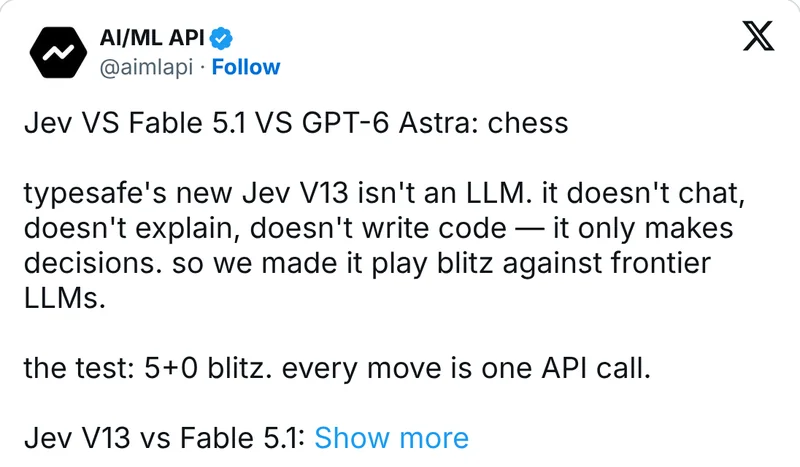
Does it really beat ChatGPT at chess?

Not as told. In AI/ML API's informal 5+0 blitz test, Fable 5.1 was 16 points of material ahead but spent 6 to 15 seconds per move against Jev's 2.6, and lost on time. GPT-6 Astra, still fast enough, mated Jev in 18 moves “with 2:27 to spare”. A Hacker News reader who calls himself horrible at chess “easily won”.

What is it bad at?

TypeSafe's own docs say Jev “is not a calculator”, does not count reliably, reads dates as text and leans toward the option listed first. Invoice processing is its weakest workflow in TypeSafe's evals.

Where is the model research, and what should I compare?

Read the release, then open the evaluation dashboard and switch Cost to Time. Compare the same workflow and its reference labels. Typed output guarantees the shape of an answer, not that the decision is correct.

What is behind the launch pitch?

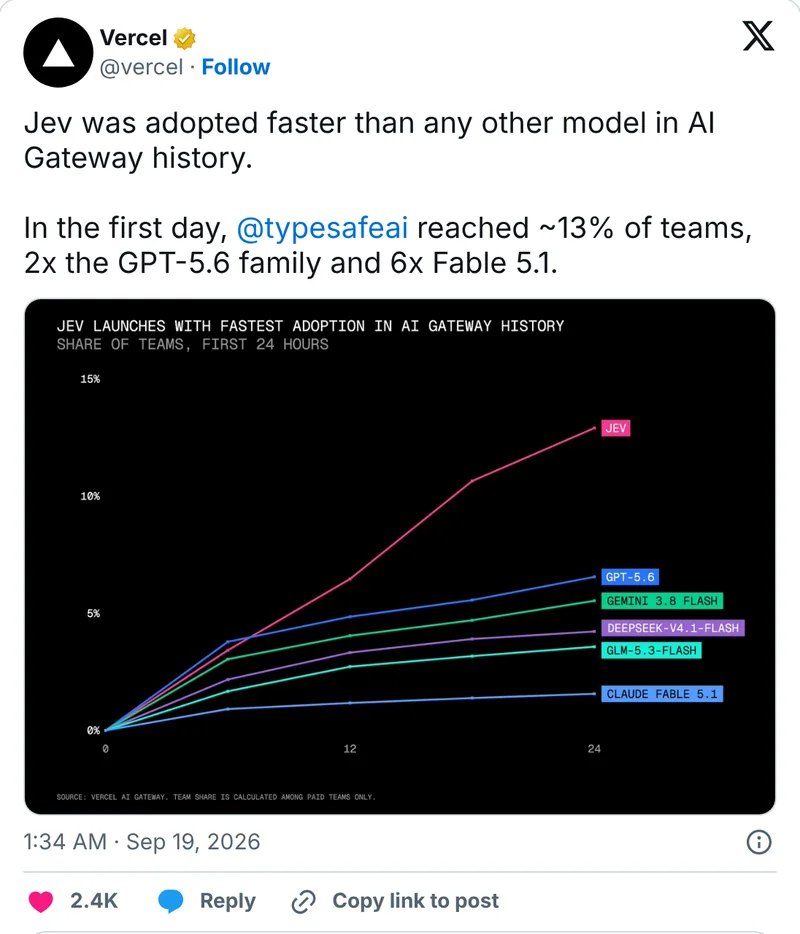
The pitch is speed and price: $0.042 per million input tokens, output free (as of 14 Oct 2026). TypeSafe and its investor a16z say a quarter of the Fortune 500 have integrated it, and the company's own blog rounds that up to a third; none of them name customers. On TypeSafe's own business workflows it matches the reference answers 67.8% of the time, a few points behind the big models, at a fraction of the cost. In an informal blitz chess test it beat Claude Fable 5.1 only on the clock, and GPT-6 Astra mated it in 18 moves.

What others are saying5 voices from X, Hacker News and DataCamp
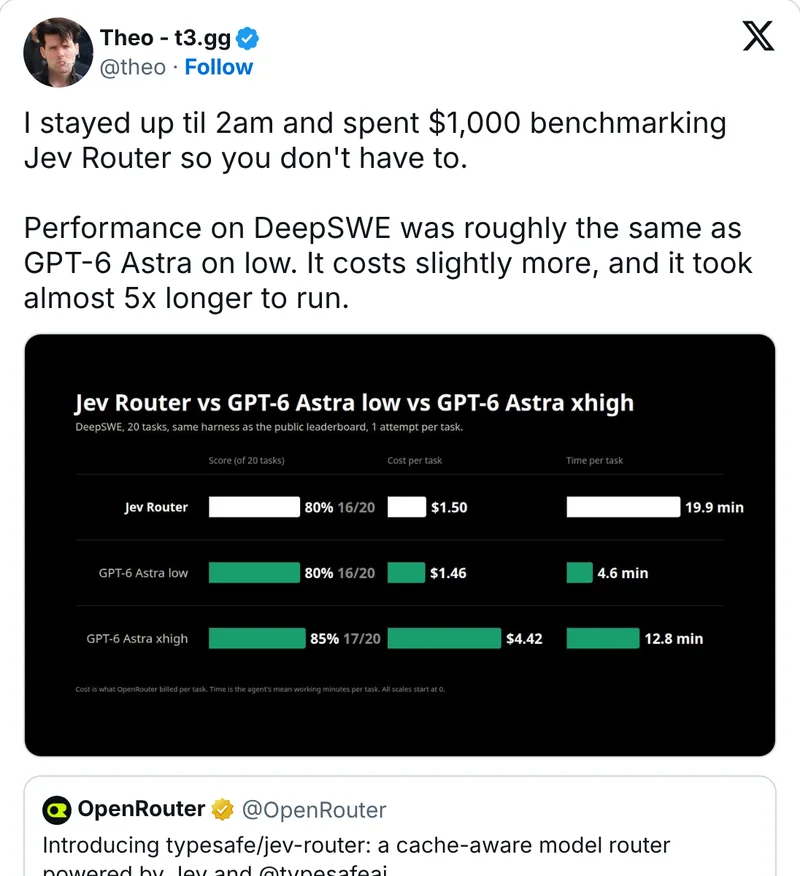
Theo on X with a benchmark of Jev Router against GPT-6 Astra

Benchmarked Jev Router for coding work: “roughly the same as GPT-6 Astra on low. It costs slightly more, and it took almost 5x longer to run.”

Theo on X · 26 Sep 2026 ↗

06 / 09

Plugins and connectors: Claude vs ChatGPT

AI in PracticeRecap

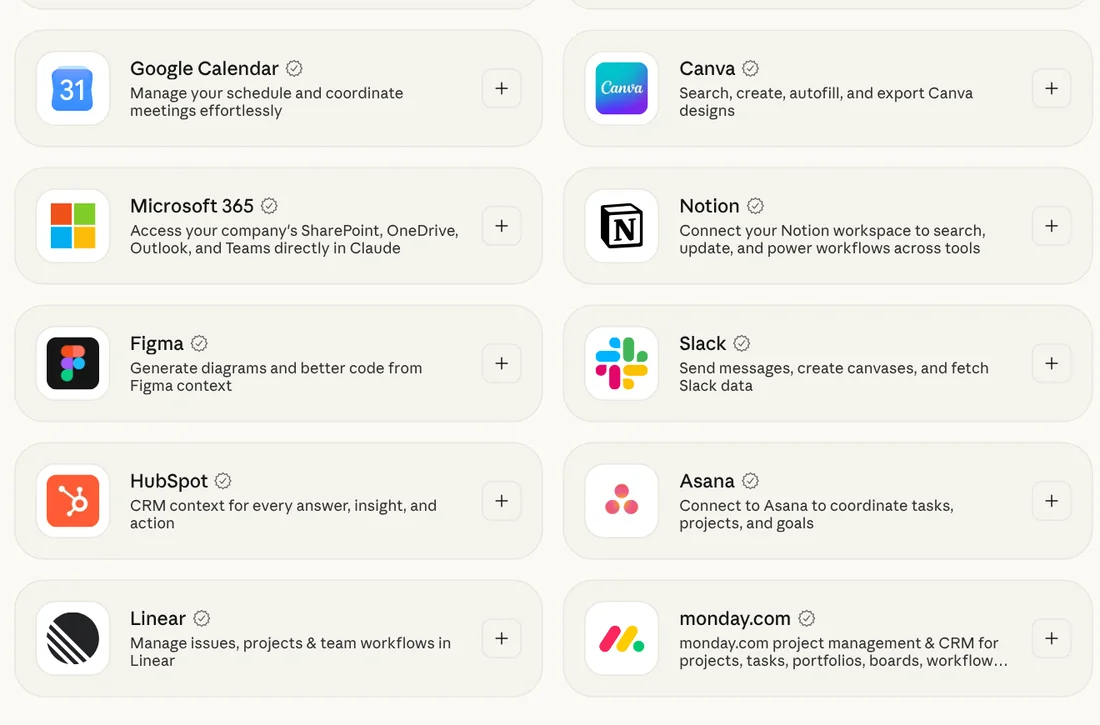
Both assistants now plug into the same everyday tools: Canva, Gmail, Google Drive and Calendar, Notion, Slack, HubSpot, Figma, Stripe and Shopify are in Claude's connector directory and in ChatGPT's plugin directory. Claude's marketplace shows 940 connectors and 341 plugins; OpenAI does not publish a total.

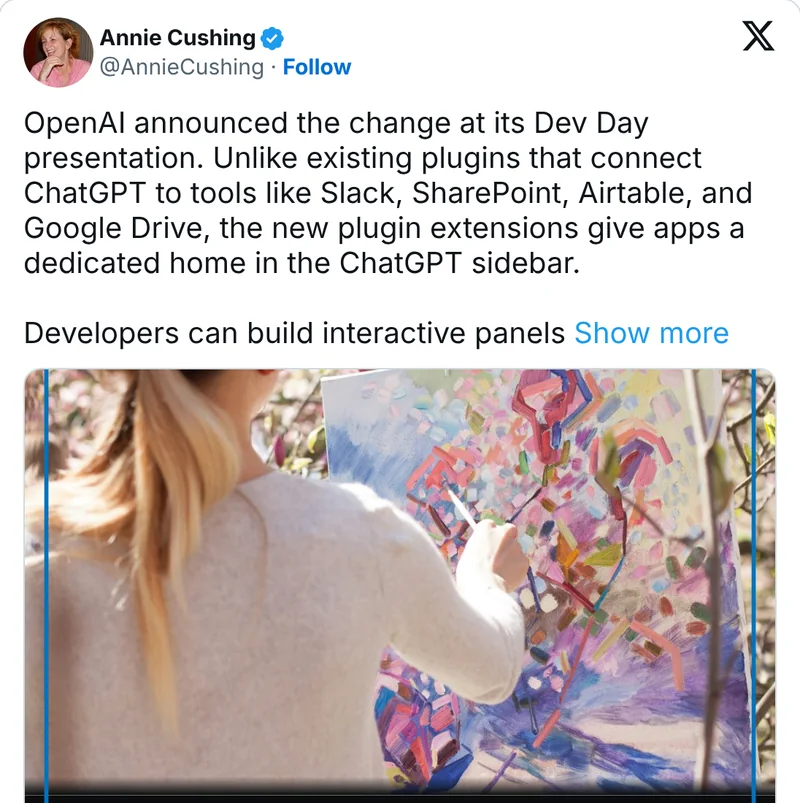
The packaging differs. Claude has connectors and plugins that bundle skills, connectors and sub-agents, and the same plugins also run in Claude Code. ChatGPT replaced its App Directory with a Plugin Directory in July, and at DevDay added sidebar panels for plugins, a Plugin Creator and MCP Events, which let a plugin start an automation when something changes in a connected app.

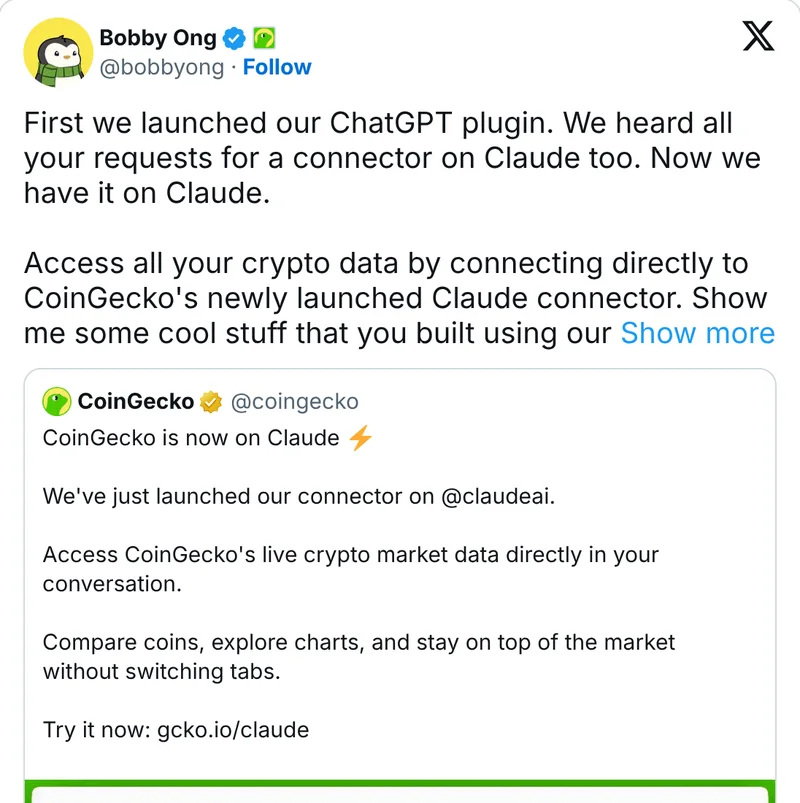
Underneath, both run on MCP, the open standard Anthropic introduced in 2024. One tool maker can serve both, as CoinGecko did: ChatGPT plugin first, Claude connector next.

Watch from 13:12 ↗
Claude's connector directory with Google Calendar, Canva, Microsoft 365, Notion, Figma, Slack, HubSpot, Asana, Linear and monday.com
claude.com/marketplace/connectors-plugins ↗Claude's connector directory, checked 14 Oct 2026. ChatGPT's plugin directory needs a login to browse.
Practical usageFor business brain builders · comparison table · 3 steps · not tested yet

How this affects business brain builders

The tools layer of your business brain is now mostly portable: choose tools by what your business runs on, and keep one line per connector in your tool index so any assistant knows what it may touch.

Claude connectors ↗

Claude: web connectors on all plans, Free limited to one custom connector. ChatGPT: chatgpt.com/plugins, select plugins on all plans; custom MCP in developer mode on paid plans. As of 14 Oct 2026.

Not tested yet
  1. List the five tools your business runs on and check each in both directories. Prefer listings made by the tool's own company.
  2. Add one line per connector to your tool index: what it may read, what it may write, who approved it.
  3. Connect the read side first. Switch on sending, posting or payments one at a time, each with its own rule.
ToolClaudeChatGPT
CanvaYesYes
GmailYes (can send)Yes
Google Drive / CalendarYesYes
Notion, Slack, HubSpotYesYes
Figma, Stripe, ShopifyYesYes
TikTok for Business (ads)Yes, made by TikTokNot found
Meta AdsCustom connectorCustom app, developer mode
Windsor.ai (ad and analytics data)Yes, verified connectorWindsor says yes
Organic InstagramThird-party onlyThird-party only

How do I get Google Ads and Meta Ads data into chat?

One option is Windsor.ai: an Anthropic-verified Claude connector (added January 2026) for 325+ marketing sources, Windsor itself claims 350+ and a ChatGPT app. MCP is on every plan; after the 30-day trial the free plan covers 1 source and 1 account. Its MCP can also pause or enable campaigns, so start with questions you already know the answer to. Prices as of 15 Oct 2026.

What others are saying3 voices from X and Hacker News

07 / 09

Usage limit resets in Claude and ChatGPT

AI in PracticeRecap

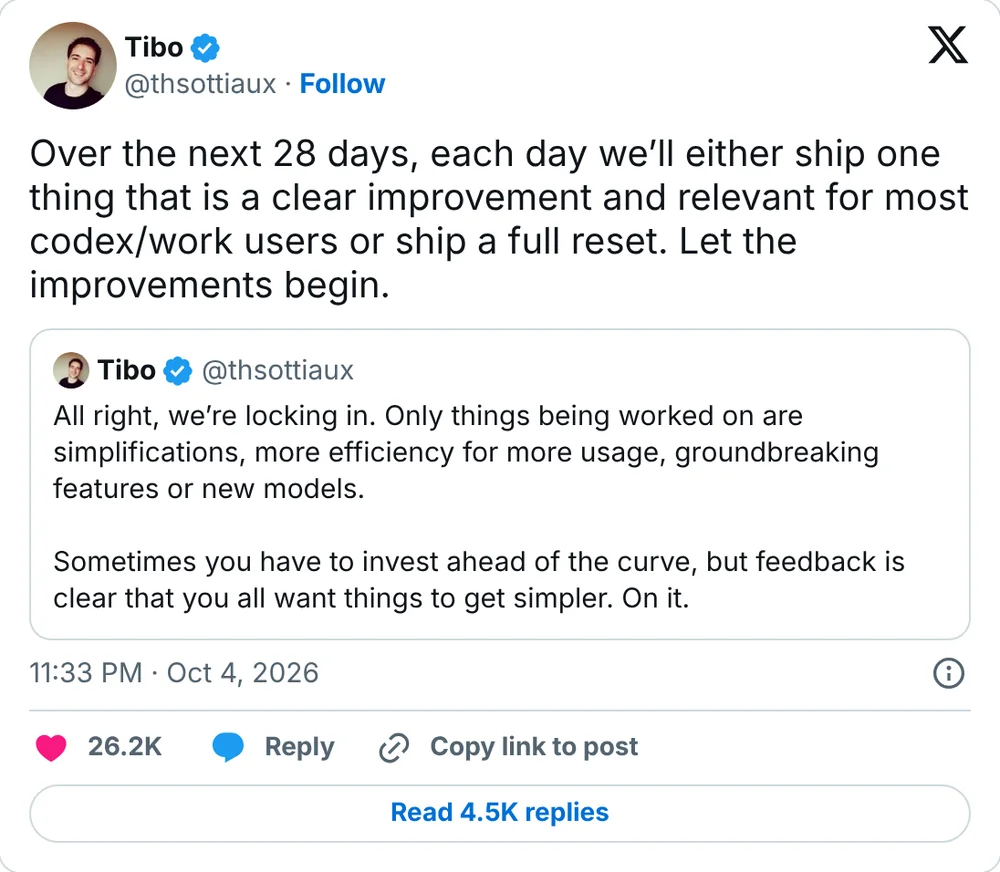
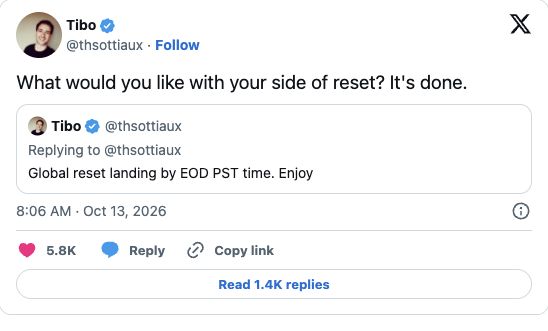
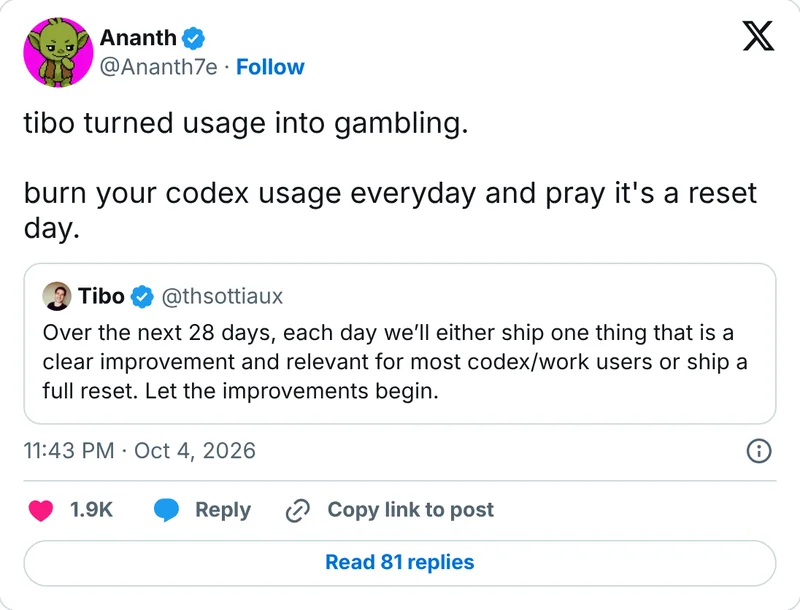
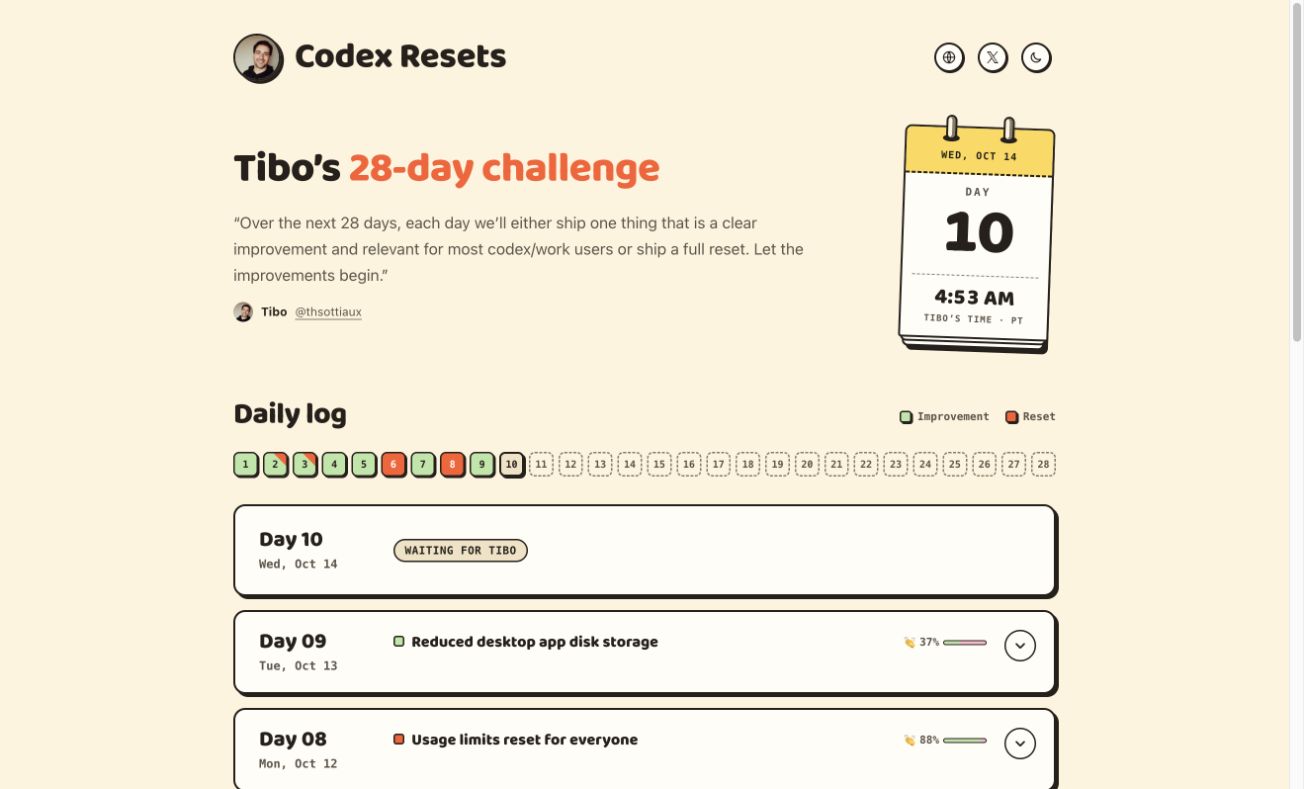
On 4 October Tibo Sottiaux promised an improvement or a full reset each day for 28 days. The community tracker shows resets on days 2, 3, 6 and 8, including a banked reset on day 3. Its challenge dates use Pacific time; the same announcement can fall on the next day in Latvia. The dated log and source posts are below.

A reset fills your allowance back to 100%; it does not raise your limits. Both assistants use a five-hour window and a weekly cap. ChatGPT and Codex hand out global resets, banked resets you use when you choose, and paid instant resets on Plus and Pro. Claude gives occasional resets as a “Reset for free” button; Pro, Max and Team users got one on 22 September.

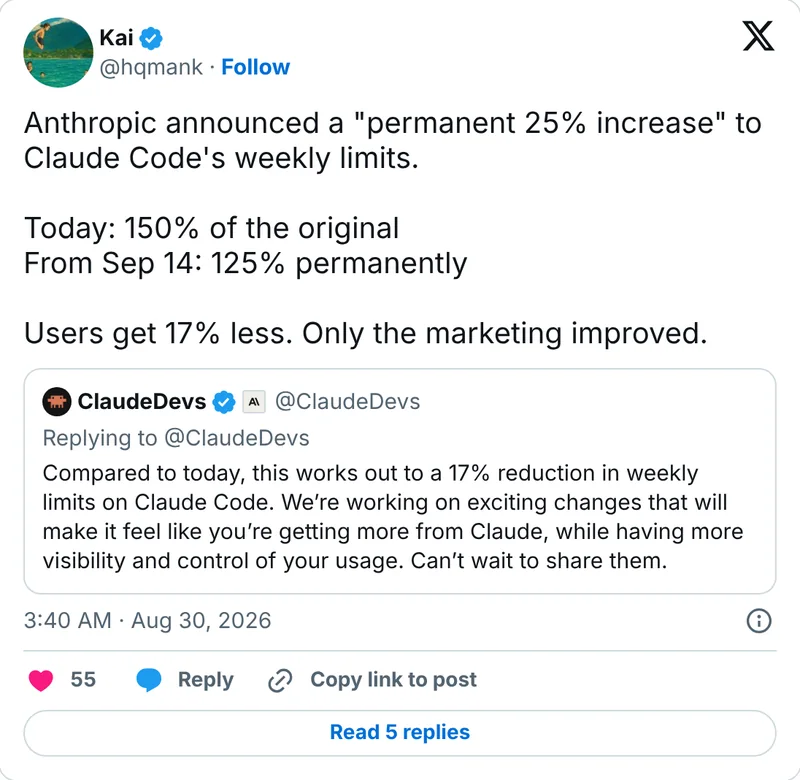
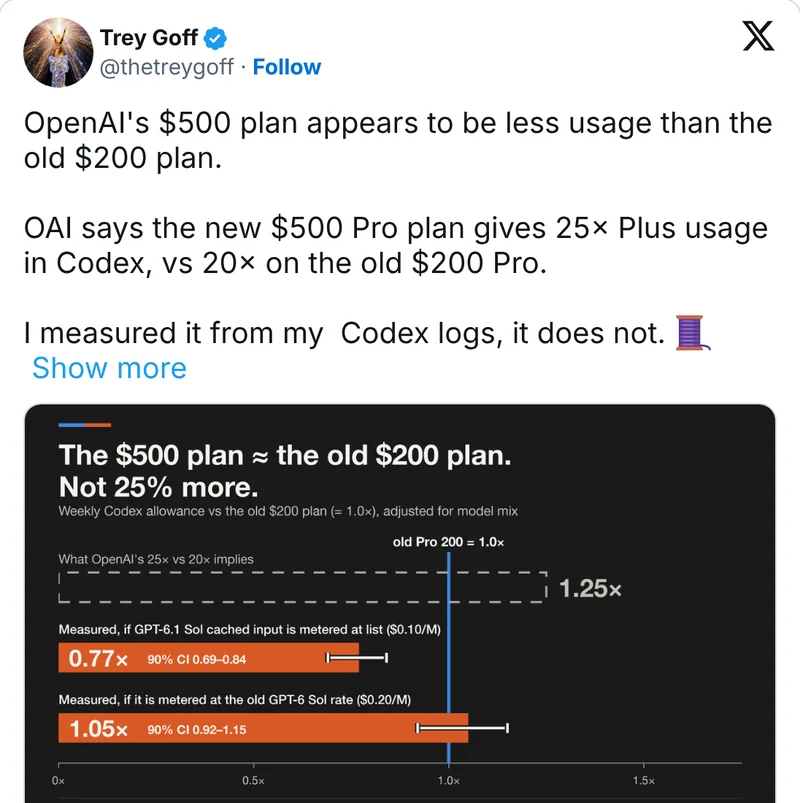
The limits themselves keep moving. Anthropic made a 25% higher weekly limit permanent from 14 September, which by its own count is 17% less than the temporary +50% before it. OpenAI says its new $500 Pro tier gives 25 times Plus usage; one user who measured his Codex logs says it does not.

Watch from 17:56 ↗
Tibo's post on X: over the next 28 days, each day we'll either ship a clear improvement or a full reset
x.com/thsottiaux/status/2106845241357824205 ↗Tibo's post on X, 4 Oct 2026: the 28-day promise.
Practical usageFor business brain builders · comparison table · 4 steps · not tested yet

How this affects business brain builders

Plan the heavy work on your business brain (big rewrites, monthly reviews, long agent runs) around your weekly limit, not around reset promises. A reset is a bonus, not capacity.

How Claude resets work ↗

Claude: Settings > Usage shows both windows and any reset you can use. Codex: Settings > Usage, or /status in the CLI. As of 14 Oct 2026.

Not tested yet
  1. Open your usage page once a day for a week. Note when you hit the five-hour window and how much of the weekly cap is left by Thursday.
  2. Use a saved reset only when you are nearly out. Anthropic's Lydia Hallie: “just make sure you've actually used up what you have left before you use it.”
  3. Move automations off your chat plan. Max and Team plans now include monthly API credits (from 7 Oct 2026); they do not count against your Claude limits, but they cannot be used for Claude Code.
  4. Choose a plan by its weekly cap, not by resets. On Max the “20x” is per session; the weekly cap is what you hit first.
PlanLimitRecent change
Claude Pro ($20)5-hour session + weeklyFree reset on 22 Sep
Claude Max 5x / 20x ($100 / $200)5x / 20x Pro per session + weeklyMonthly API credits from 7 Oct
ChatGPT Plus ($20)5-hour + weeklyGlobal, banked and paid resets
ChatGPT Pro ($100 / $200)Weekly onlyPro $200 cut to 10x Plus from 30 Oct, per subscriber email
ChatGPT Pro ($500)Weekly onlyNew 29 Sep, includes Ultrafast

Does a banked reset move my weekly reset day?

In Codex, yes. Per OpenAI's help page, a full banked reset refreshes the 5-hour and weekly windows and your next weekly reset comes around the day you resume, so the original day is gone. OpenAI's example: due Friday, reset used and work resumed Tuesday, next reset around the following Tuesday. Use it when you are out and your normal reset is still days away. Tip from our AIOS Circle call on 14 October.

What others are saying5 voices from codex-resets.com and X

What was promised, and what was announced

The community tracker uses Pacific time for challenge days; announcement dates here use Europe/Riga. These are published announcements, not an independent audit of my account. A reset is one of the two promised daily outcomes; the log does not establish that an improvement failed.

Challenge date (PT)Announcement date (Riga)What was announced
4 Oct 20264 Oct 2026Promise: an improvement or reset each day for 28 days
Day 1 · 5 Oct5 Oct 2026Improvement: faster default speed
Day 2 · 6 Oct7 Oct 2026Usage limits reset
Day 3 · 7 Oct8 Oct 2026Banked reset across accounts
Day 6 · 10 Oct11 Oct 2026Reset: all propagated
Day 8 · 12 Oct13 Oct 2026Reset confirmed done
Tibo’s reset confirmation, promised deadline and 13 October Riga timestamp

Tibo’s post contains the promised global reset and its follow-up: “It’s done.” The embed shows 13 October at 08:06 in Latvia; the challenge assigns it to 12 October Pacific time. This is a timezone difference, not another reset.

Tibo Sottiaux: reset confirmation on X · 13 Oct 2026 ↗
Kai on X about Claude Code's weekly limit change

On Claude's “permanent 25% increase”: 150% of the original before, 125% after. “Users get 17% less. Only the marketing improved.”

Kai on X · 30 Aug 2026 ↗
Trey Goff on X with a chart comparing the $500 and old $200 Pro plans

“OAI says the new $500 Pro plan gives 25× Plus usage in Codex, vs 20× on the old $200 Pro. I measured it from my Codex logs, it does not.”

Trey Goff on X · 30 Sep 2026 ↗

08 / 09

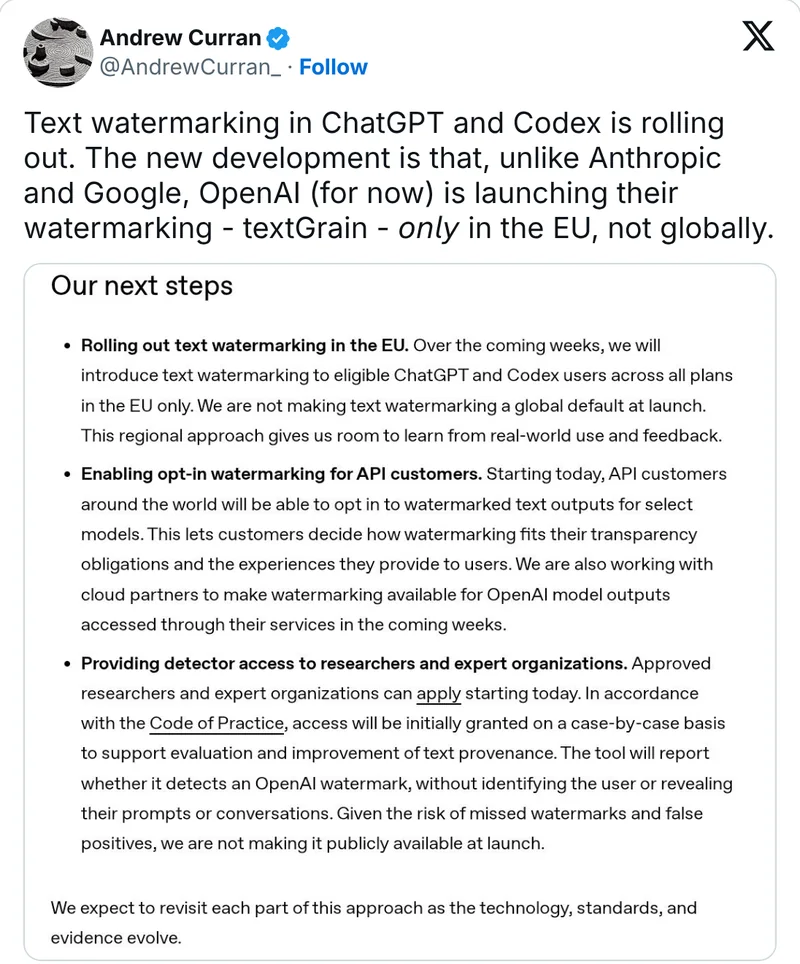
OpenAI textGrain: an invisible watermark in ChatGPT text

OpenAIOfficial

textGrain adds a statistical pattern to word choices, not hidden characters. OpenAI announced EU rollout to eligible ChatGPT and Codex text on 5 October; API customers can opt in for supported models. Copying the words can preserve the signal. Editing and translation can weaken it.

For SEO, the watermark is not a quality verdict. Google permits appropriate AI use. Its current guidance warns against generating many pages without adding value. Neither source establishes a textGrain ranking penalty or confirms that Google uses OpenAI's detector. There is no basis here to promise a ranking loss, or a ranking gain from removing a watermark.

You cannot check this with an ordinary ChatGPT subscription. OpenAI currently restricts text-detector access to approved research and expert organizations. Its public verification tool checks supported images and audio. For most businesses, the useful action is an editorial quality check, not buying an AI-detector score.

Watch from 19:50 ↗
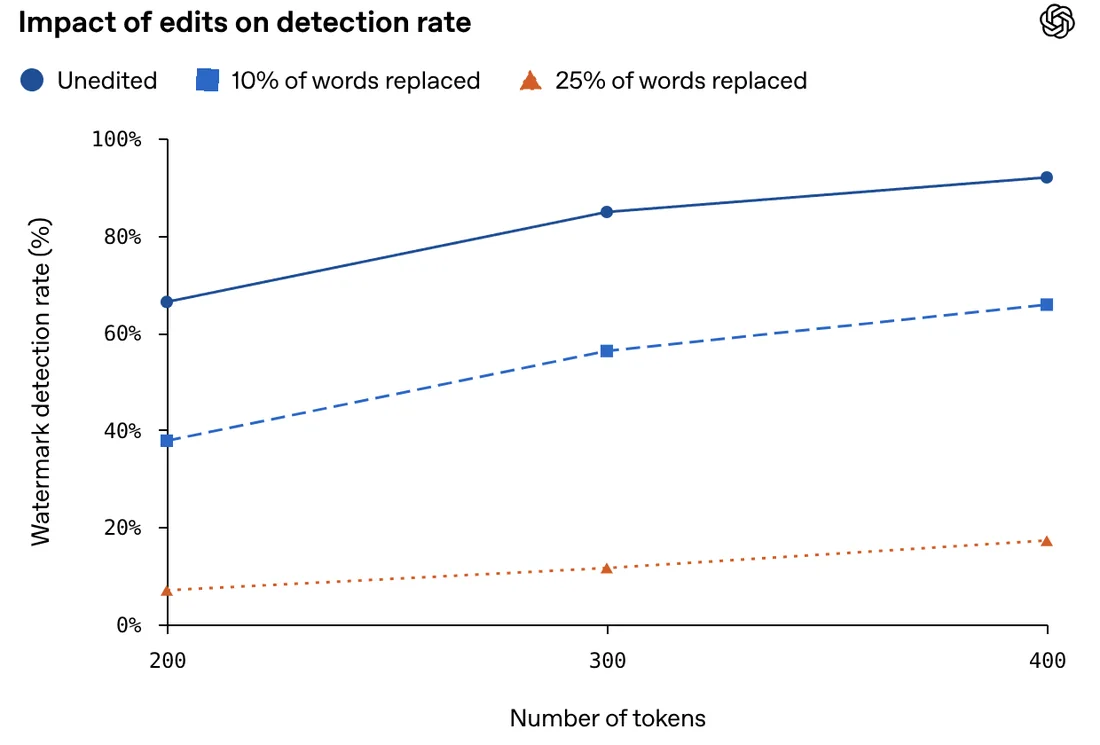
OpenAI chart: watermark detection rate falls as 10% or 25% of the words are replaced, for texts of 200 to 400 tokens
openai.com/index/eu-text-provenance ↗OpenAI's own test: how often the detector still finds the watermark after 10% or 25% of the words are replaced.
Practical usageFor business brain builders · 1 prompt to copy · comparison table · 4 steps · can't test yet

How this affects business brain builders

Give the publishing part of your business brain an editorial gate: original evidence, verified facts, a useful answer and a named reviewer. Track search outcomes separately from provenance.

Read Google's guidance for website owners ↗

Checked 16 Oct 2026: EU ChatGPT/Codex text rollout; API opt-in for supported models. Text detection requires approved access. A Pro, Business or API subscription alone does not grant it. See OpenAI’s access rules.

Can't test yet
Audit one SEO page against Google’s guidance (any assistant)
Audit this draft and its sources against Google Search guidance on helpful content and generative AI: [paste draft and source links]. Identify the search intent, unsupported factual claims, missing first-hand experience, generic passages and the specific value this page adds. Propose concrete additions from my real business material. Return a publish/revise checklist for a human reviewer. Do not invent experience, promise rankings, or claim to detect a textGrain watermark.
  1. Pick one real service page or article. Save its current version and the reader question it should answer.
  2. Use the audit prompt. Add your own example, evidence and concrete advice; verify every claim, including the title, description and structured data.
  3. Have a person approve the final page. Keep a short record of sources, AI assistance and substantial edits.
  4. After publishing, compare the same page and queries in Search Console over time. Record other changes; traffic movement alone cannot prove a watermark effect.
SituationPractical response
AI draft plus verified expertise and original examplesReview and publish if useful; AI involvement alone is not a Google ban.
Hundreds of generic pages made mainly to attract search trafficRework the content plan; this can be scaled content abuse.
A commercial detector labels a draft AI-writtenThat is not proof of an OpenAI textGrain signal.
No watermark is detectedThat does not establish human authorship or content quality.

Does Google accept AI-written content?

Yes, appropriate use is allowed. Google’s FAQ focuses on quality and helpfulness, and warns that automation used primarily to manipulate rankings violates its policies. The current guide applies the same standard to text, metadata and structured data.

Will Google penalize textGrain specifically?

The official Google pages linked here do not establish a textGrain penalty or detector integration. Treat predictions of a special watermark penalty as speculation. This is an interpretation of the published guidance, not a measured ranking experiment.

Can a website or an API customer verify a sample today?

API customers can enable watermarking for supported models, but generating a signal and detecting it are separate capabilities. OpenAI’s help page limits detector access to approved organizations. Public image/audio verification and general AI-writing detectors are not a public textGrain checker.

Should I rewrite text to remove the watermark?

Rewrite to improve accuracy, substance and your own voice. A weak or absent watermark does not establish authorship, ownership or quality. OpenAI’s technical report describes detection limits; it is not an SEO instruction manual.

What others are saying4 voices from X and The Decoder
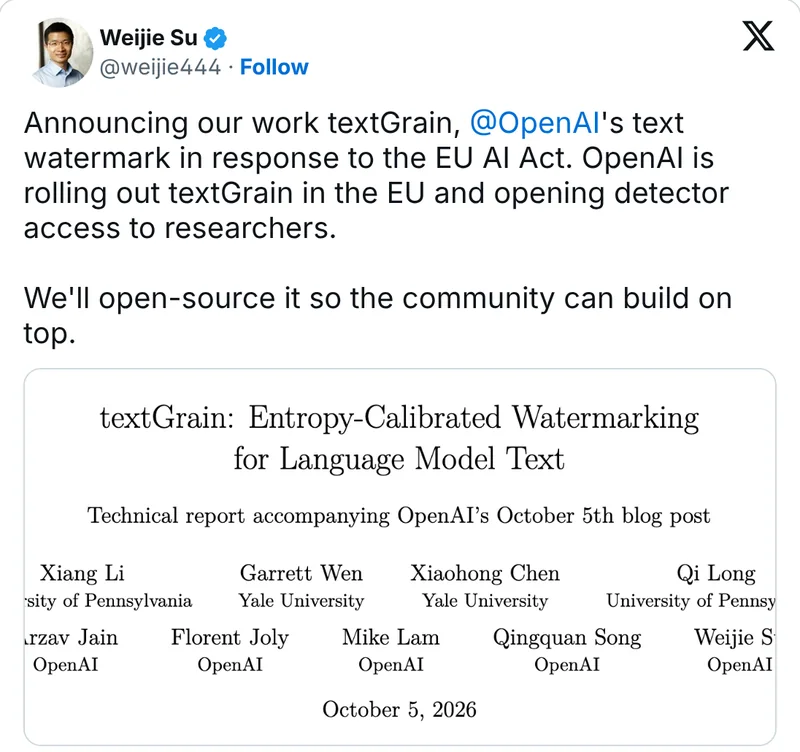
Weijie Su's post on X announcing textGrain, with the first page of the technical report

Co-author of textGrain: OpenAI is opening detector access to researchers, and the team will open-source the method so others can build on it.

Weijie Su on X · 5 Oct 2026 ↗
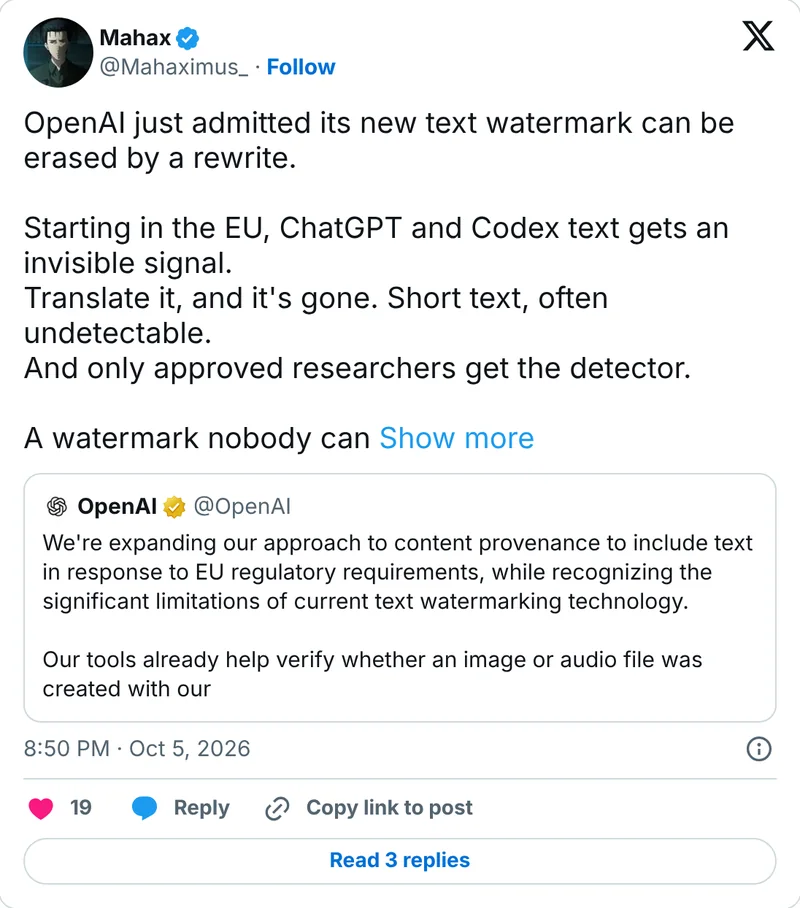
Mahax's post on X: OpenAI just admitted its new text watermark can be erased by a rewrite

Reads OpenAI's own limits as the headline: a rewrite or a translation erases it, short text often goes undetected, and only approved researchers get the detector. “A watermark nobody can check.”

Mahax on X · 5 Oct 2026 ↗
09 / 09

MiroFish: a simulated crowd reacts to your launch

MiroFishOpen sourceCatch-up

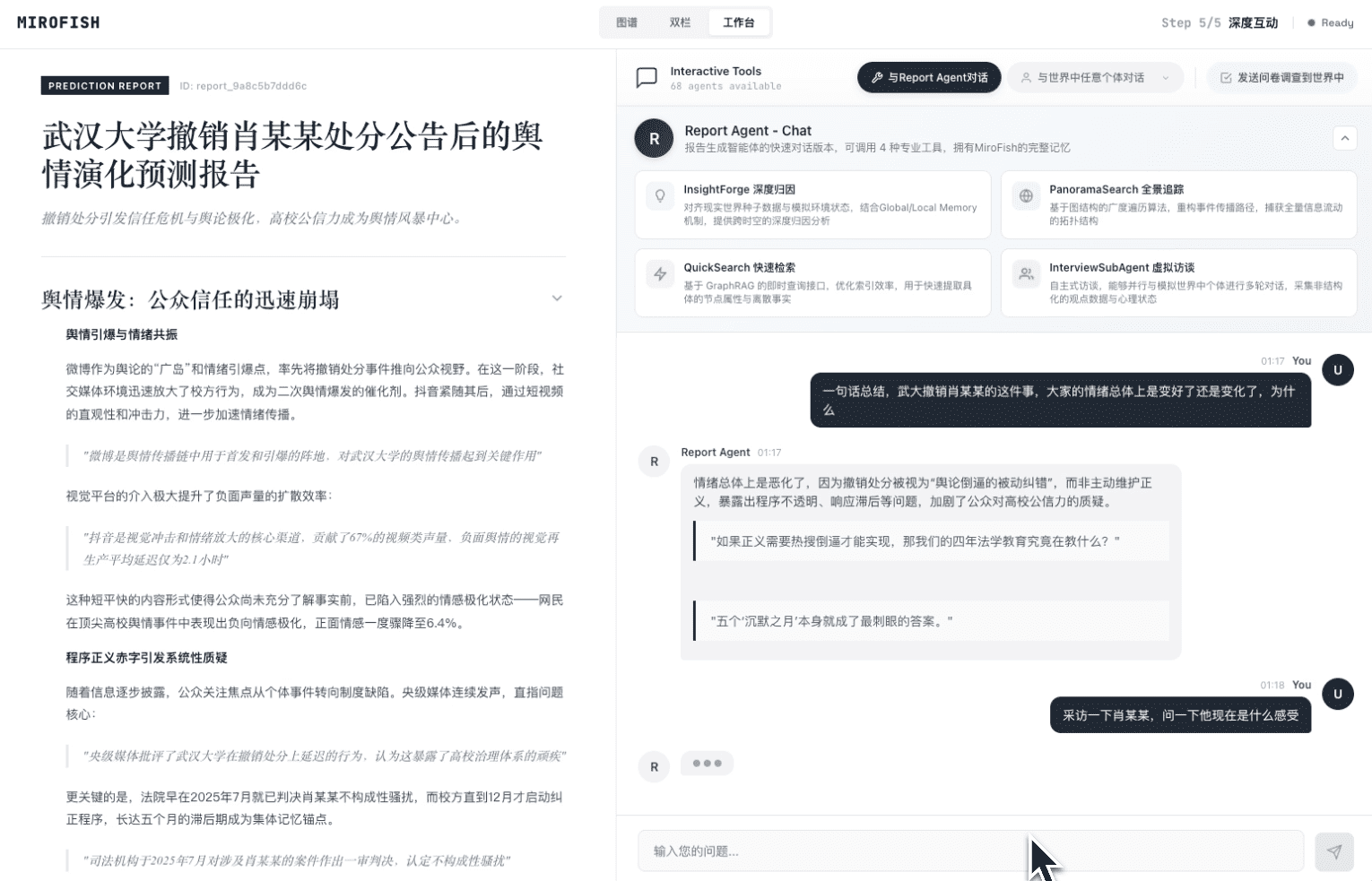
MiroFish takes seed material, builds a knowledge graph and creates AI personas that react on simulated social platforms. It runs on OASIS, then produces a report and lets you question the agents. The useful question is which objections to investigate before a launch.

Who tried it, and why? Sanjay Shankar reports testing a SaaS launch before building it: a 6–8 page market brief, 44 agents and 10 rounds. The recurring concern was getting a whole team to adopt the product. He says this shifted his attention toward onboarding and internal champions. That is an author's account of a simulation, not validated buyer demand.

It came up in our AIOS Circle call on 14 October. I have not run it. Start with the maintainer's prepared examples below and compare any proposed simulation with one ordinary prompt. The small comparison shared on Hacker News tested a simplified swarm against a single call, not MiroFish itself.

Watch from 21:45 ↗
MiroFish maintainer screenshot: generated report beside the report agent’s progress and evidence
github.com/666ghj/MiroFish ↗The maintainer's own report-generation screen. The report and progress panel are inspectable; the screenshot does not establish forecasting accuracy.
Practical usageFor business brain builders · 2 prompts to copy · 2 reference examples · comparison table · 4 steps · not tested yet

How this affects business brain builders

Use a synthetic audience to collect objections before real interviews. Your business brain should preserve which reactions were simulated and which came from actual customers.

Examples, demos and evidence

Each example names its source and whose work it shows. Open the source for the full context.

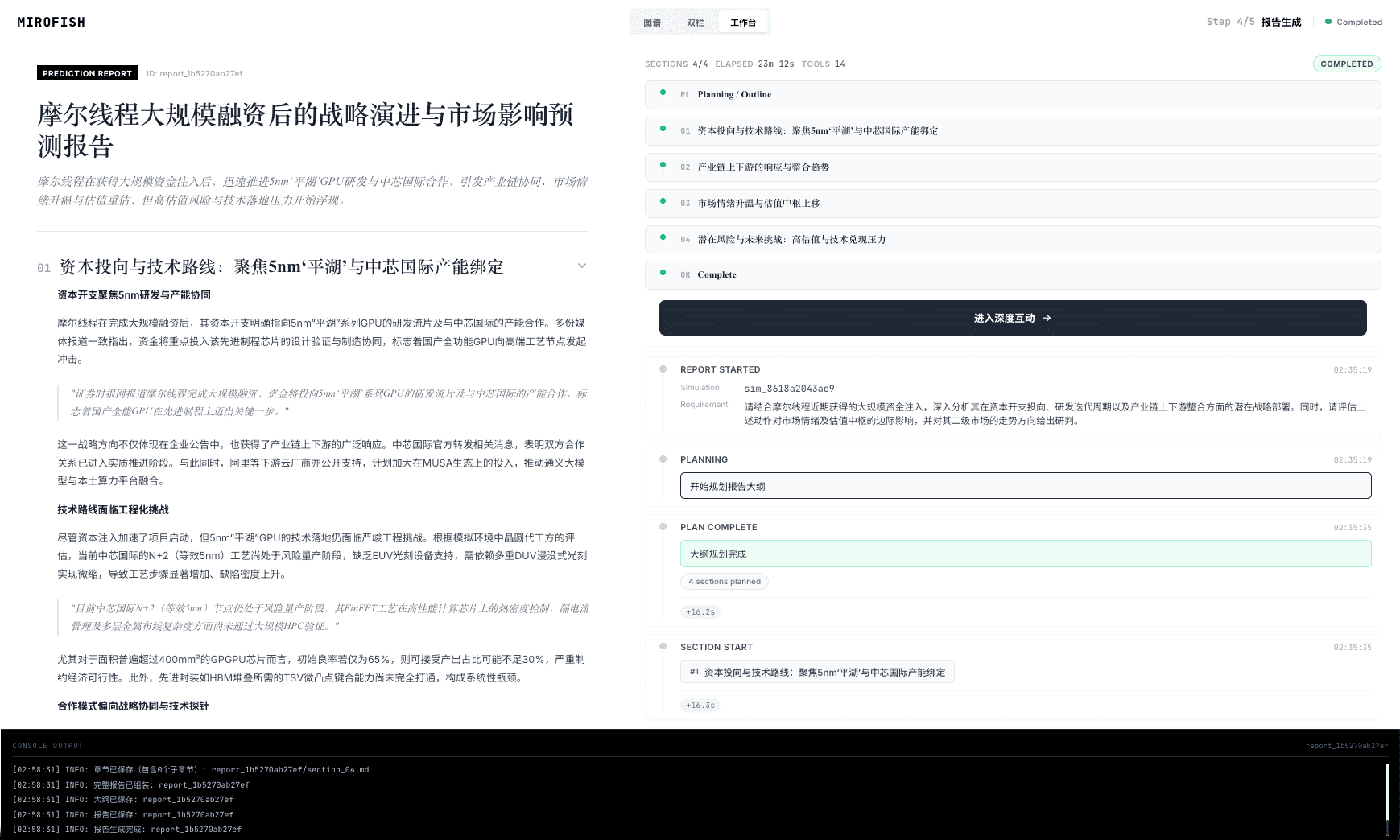
Official MiroFish screenshot: a report with section planning and generation progress
Inspect the generated report

Maintainer example: a report about a semiconductor company's funding scenario. The left panel contains the narrative; the right shows the report agent's work. It illustrates the output format, not a verified investment forecast.

MiroFish · official screenshots ↗
Official MiroFish screenshot: Report Agent chat and an option to interview simulated personas
Question the simulated world

Maintainer example: ask the report agent a follow-up or interview a persona. The original demonstration examines possible reactions to a Wuhan University public statement. Watch the full walkthrough to see the input, simulation and report.

Maintainer · full Bilibili demo ↗
Open the MiroFish live demo ↗

Free and open source (AGPL-3.0). Runs on your own computer with Docker, or from source with Node.js 18+, Python 3.11 to 3.12 and uv. Needs your own OpenAI-compatible LLM key and a Zep Cloud key; the README says Zep's free monthly quota is enough for simple use and warns that simulations use a lot of tokens. As of 15 Oct 2026.

Not tested yet
Set up MiroFish on my computer (Claude Code or Codex)
Set up MiroFish from github.com/666ghj/MiroFish on my computer with Docker. Read the README first and list the keys it needs (LLM_API_KEY, LLM_BASE_URL, LLM_MODEL_NAME, ZEP_API_KEY) before you change anything. Use a cheap OpenAI-compatible model and keep simulations under 40 rounds, as the README advises. Do not upload any client or private data. Then run one simulation with my public offer page as the seed and summarise the five objections that came up most often.
The same question as one plain prompt, to compare
Here is my offer page. Act as five different potential buyers: a sceptical owner of a 10-person company, a CFO, an operations manager, a marketing lead and a founder who already uses ChatGPT every day. For each, give the first objection, what would make them book a call and one question they would ask. Then list the objections that came up more than once.
  1. Read the README and the AGPL-3.0 license, and install from the official GitHub repository only.
  2. With Docker: copy .env.example to .env, add the four keys, run docker compose up -d and open localhost:3000.
  3. Seed one simulation with a public page, such as your offer page. Keep it under 40 rounds and watch the token use.
  4. Ask the same question with one plain prompt to your usual AI, compare the objections, and keep only the ones you also hear from real customers.

A concrete launch experiment someone reported

Source: Sanjay Shankar, 25 Mar 2026, updated 10 Sep. These are his reported inputs and conclusions; no observed sales result is established.

Who and purposeInput and runWhat he took from it
Sanjay Shankar; inspect objections before building a SaaS productMarket brief; 44 AI personas; 10 roundsTeam adoption friction; revisit onboarding and internal champions.

Is a paid MiroFish website the real thing?

Not that we can tell. The repository links to mirofish.ai, which shows no pricing. Several unaffiliated look-alike sites, for example mirofish.us and mirofishai.org, sell plans. Install from the GitHub repository.

Can it run without any cloud service?

Not the official version: it calls a cloud LLM and Zep Cloud. A community fork, MiroFish-Offline, swaps in Neo4j and Ollama and needs about 10 GB of GPU memory for a 14B model. It is not official.

Does the five-case swarm comparison prove MiroFish is no better than a single prompt?

No. The author compared a simplified swarm in a separate local rig. It is a reason to use a cheap baseline in your own experiment, not a benchmark of MiroFish.

What others are saying3 voices from Personal blog, Hacker News and 36Kr

Profile of the student developer and the 30 million yuan commitment from Shanda's Chen Tianqiao.

36Kr · 13 Mar 2026 ↗
In brief

Also shipped

  • Google AI Search is putting more inline links higher in answers and testing a dedicated section for official sources (15 Oct). For a business website, check whether useful original pages are cited and receive visits; this update does not guarantee traffic.

    Google · AI Search source links ↗
  • ChatGPT Fast and Ultrafast: two paid speed modes for Work and Codex. Fast uses your allowance at 2.5 times the normal rate; Ultrafast, up to 8 times faster, is only on the $500 Pro tier and eligible Enterprise and Edu. GPT-6.1 Sol Ultrafast arrived on 8 Oct.

    learn.chatgpt.com ↗
  • GPT-6 for everyone, with “Intelligent UI”: answers can include interactive charts and small calculators.

    openai.com ↗
  • ChatGPT Space and Pages: a shared workspace and editable documents for teams and their Dots, on Pro, Business and Enterprise.

    openai.com ↗
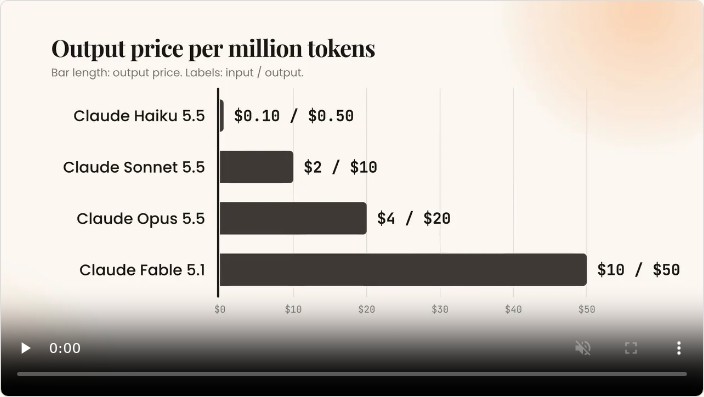
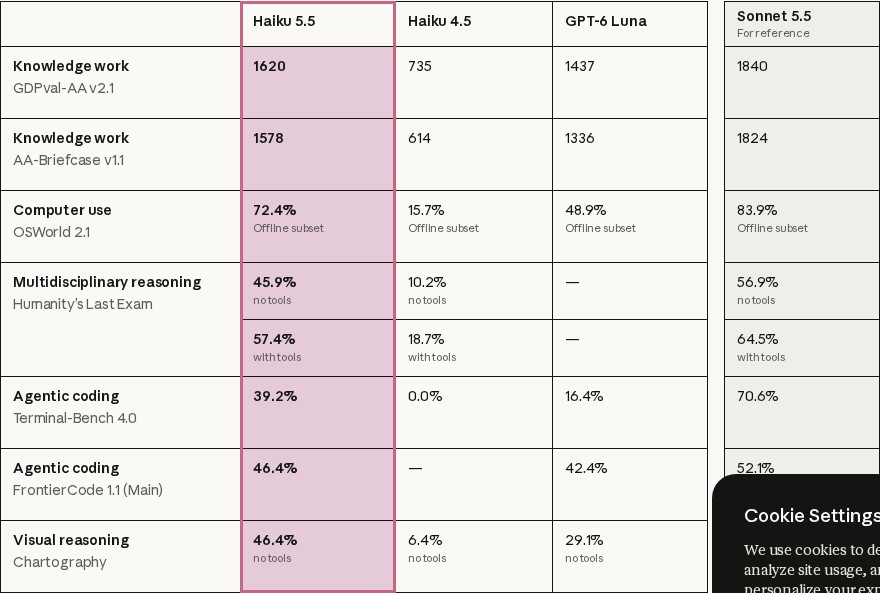
  • Claude Haiku 5.5: a small model for summaries, routing and other narrow tasks. API input/output prices per million tokens are $0.10/$0.50 up to 100K prompt tokens, and $0.50/$2.50 above 100K (checked 16 Oct). Anthropic’s launch table below compares it with Haiku 4.5, GPT-6 Luna and Sonnet 5.5.

    Anthropic · Haiku release and evaluations ↗
    View the model research table
    Anthropic official Haiku 5.5 evaluation table compared with Haiku 4.5, GPT-6 Luna and Sonnet 5.5
    Anthropic’s own 7 October release table, captured 16 October. Settings differ by benchmark. A cheaper small model does not match Sonnet on every task.
  • Claude Max and Team now include monthly API credits for your own apps and agents.

    support.claude.com ↗
  • Google's Gemini agent can work as a “coworker” with its own Workspace email, calendar and Drive.

    cloud.google.com ↗
  • UC Berkeley study: after a few minutes of AI help on maths and reading tasks, people gave up sooner once the AI was taken away.

    news.berkeley.edu ↗
  • An OpenAI employee was charged after a hidden recording device was found in an executive conference room. OpenAI told NBC News its internal AI models helped identify who planted it; the DOJ cites CCTV.

    justice.gov ↗